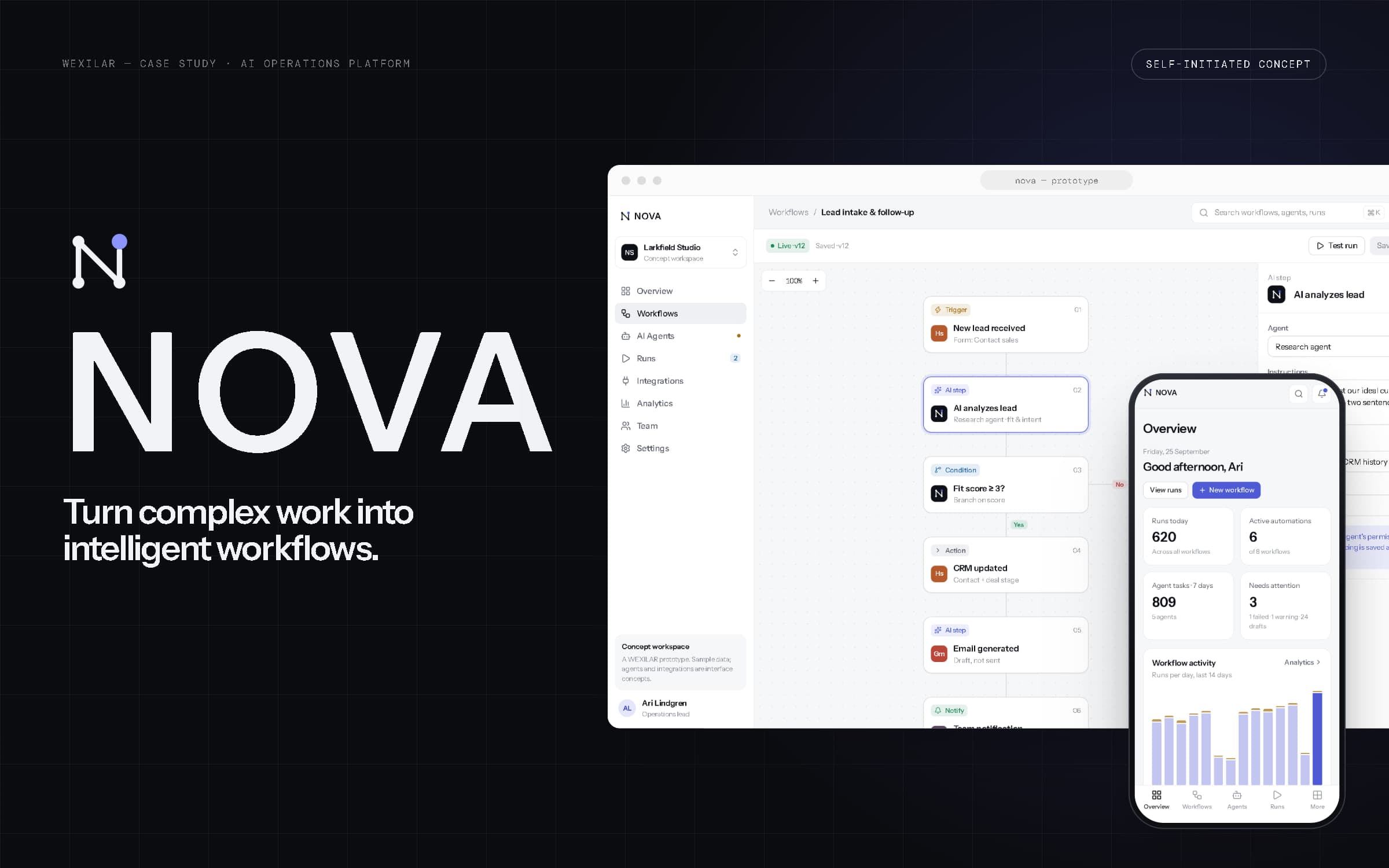
NOVA
- Year
- 2026
- Type
- Self-initiated concept
- Services
- UI/UX & Product Design, Web Applications, Automation
- Type
- Self-initiated concept
- Year
- 2026
- Scope
- Product strategy, brand identity, AI product design, UI/UX, design system, web development
- Deliverables
- Mark & wordmark, token system, 16-section marketing site, responsive workspace: overview, workflow builder, AI agents, runs, integrations, analytics, team, settings
02Product vision
An operations layer for teams that run on many tools.
NOVA is a self-initiated WEXILAR concept: an imagined AI operations platform, designed and built end to end to show how we approach an AI and SaaS product. It is not a real company or product, it has no customers, and nothing in it is deployed. Every workspace, person, workflow, agent and number in these screens is sample data.
The idea: connect the tools a team already uses, automate the repetitive steps between them, give AI agents narrow and well-defined jobs inside those steps — and show everything that ran.
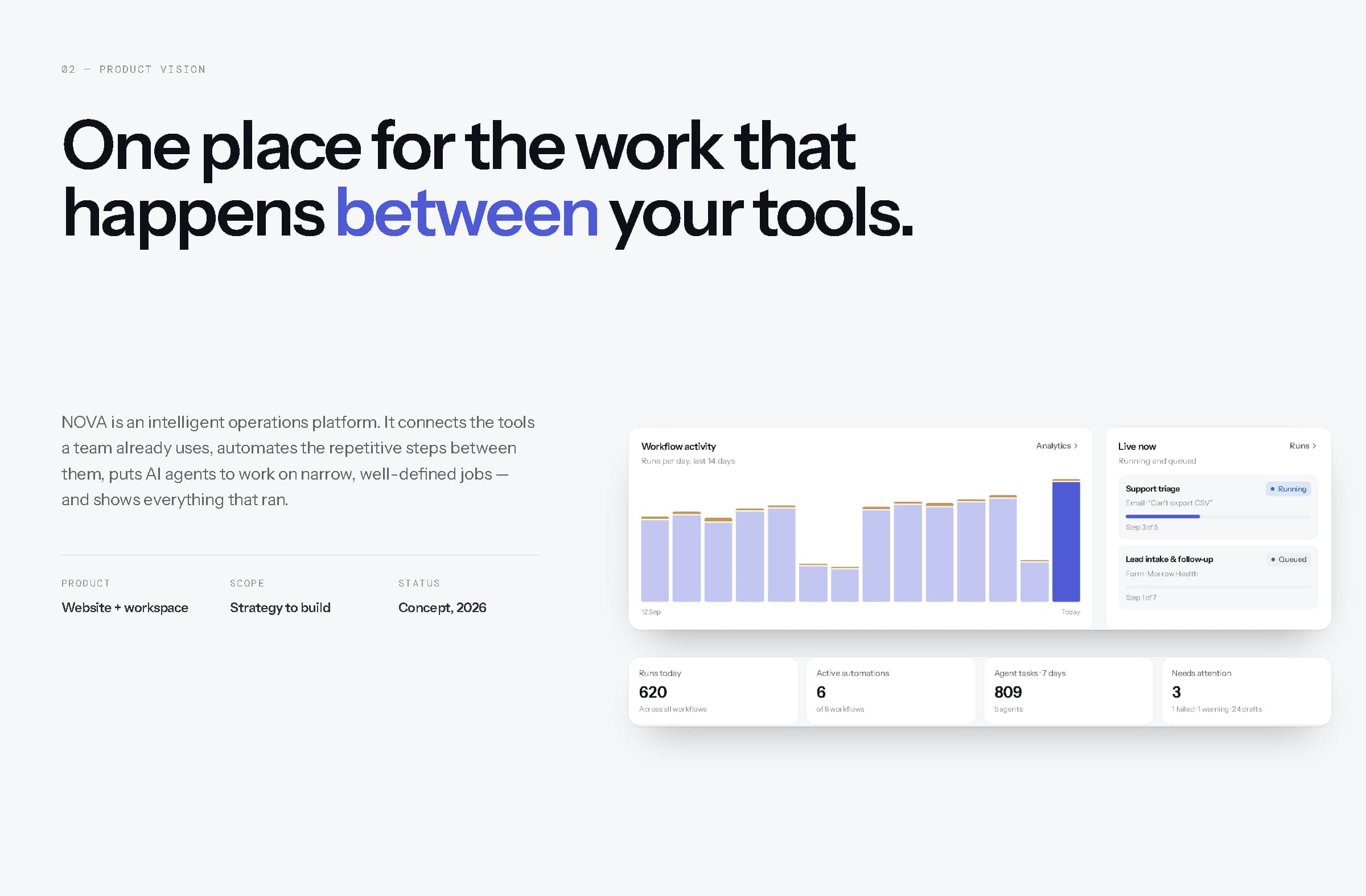
The product vision, beside details of the workspace overview.
03The problem
Work lives in the gaps between tools.
Leads arrive in one tool, customers live in another, invoices in a third, and the team becomes the integration layer — copying, notifying, updating, drafting, every day. AI assistants promise to help, but most can write anything, anywhere, with no record of what they did or why. And when a hand-off breaks, nobody can see which step failed, or whether it ran at all.
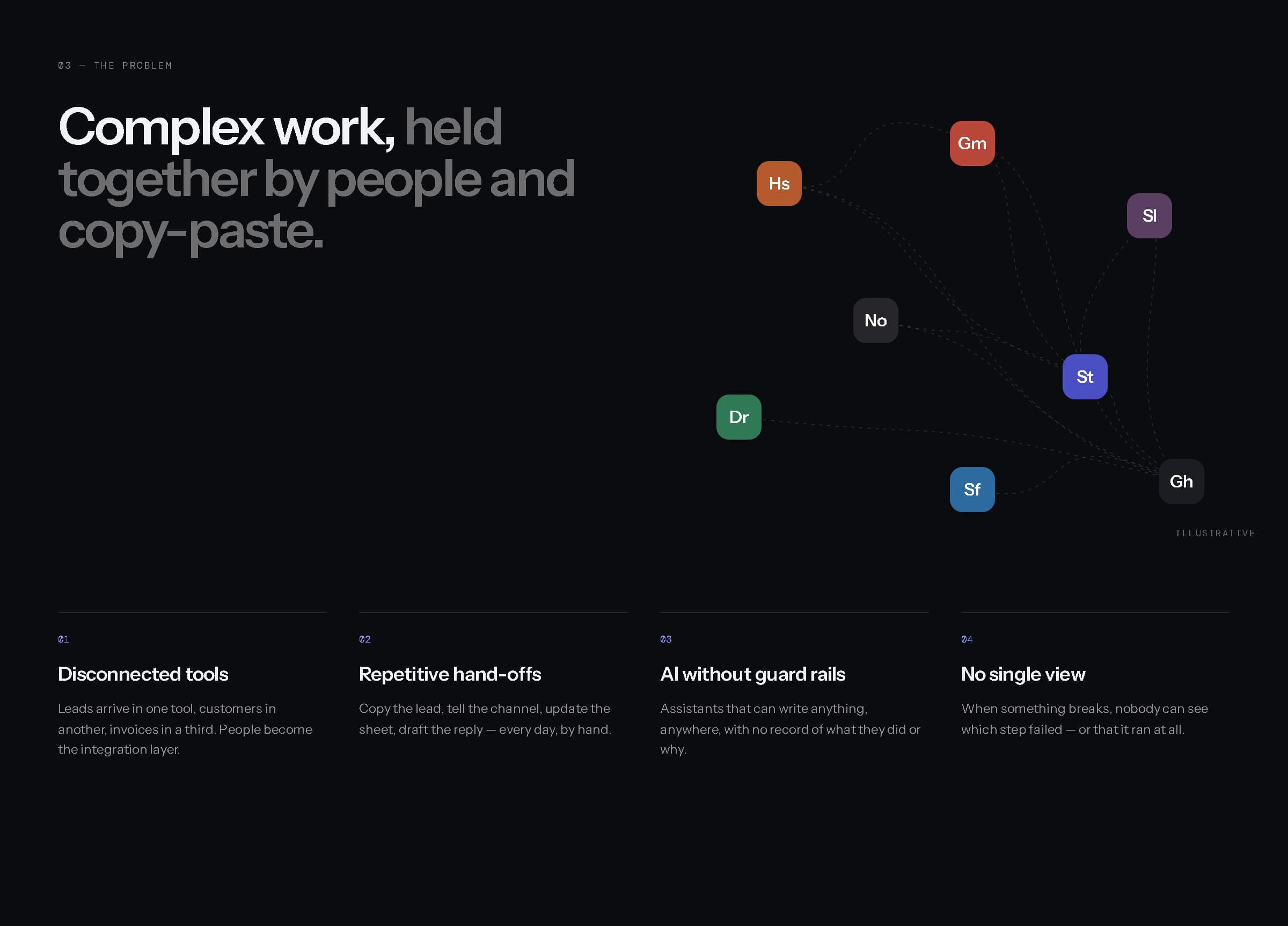
Disconnected tools, repetitive hand-offs, AI without guard rails, and no single view (illustrative).
Automation you can read. AI you can limit. Runs you can see.
04Product strategy
Connect, automate, assist, observe.
Four principles shaped every decision. Connect: sit between existing tools rather than replacing them, with narrow, visible, revocable access. Automate: make work explicit as a readable sequence of triggers, actions and conditions — versioned and testable. Assist: give AI agents job descriptions, not open mandates, and keep anything customer-facing as a draft for a person. Observe: record every run and step, and let retries resume from the step that failed.
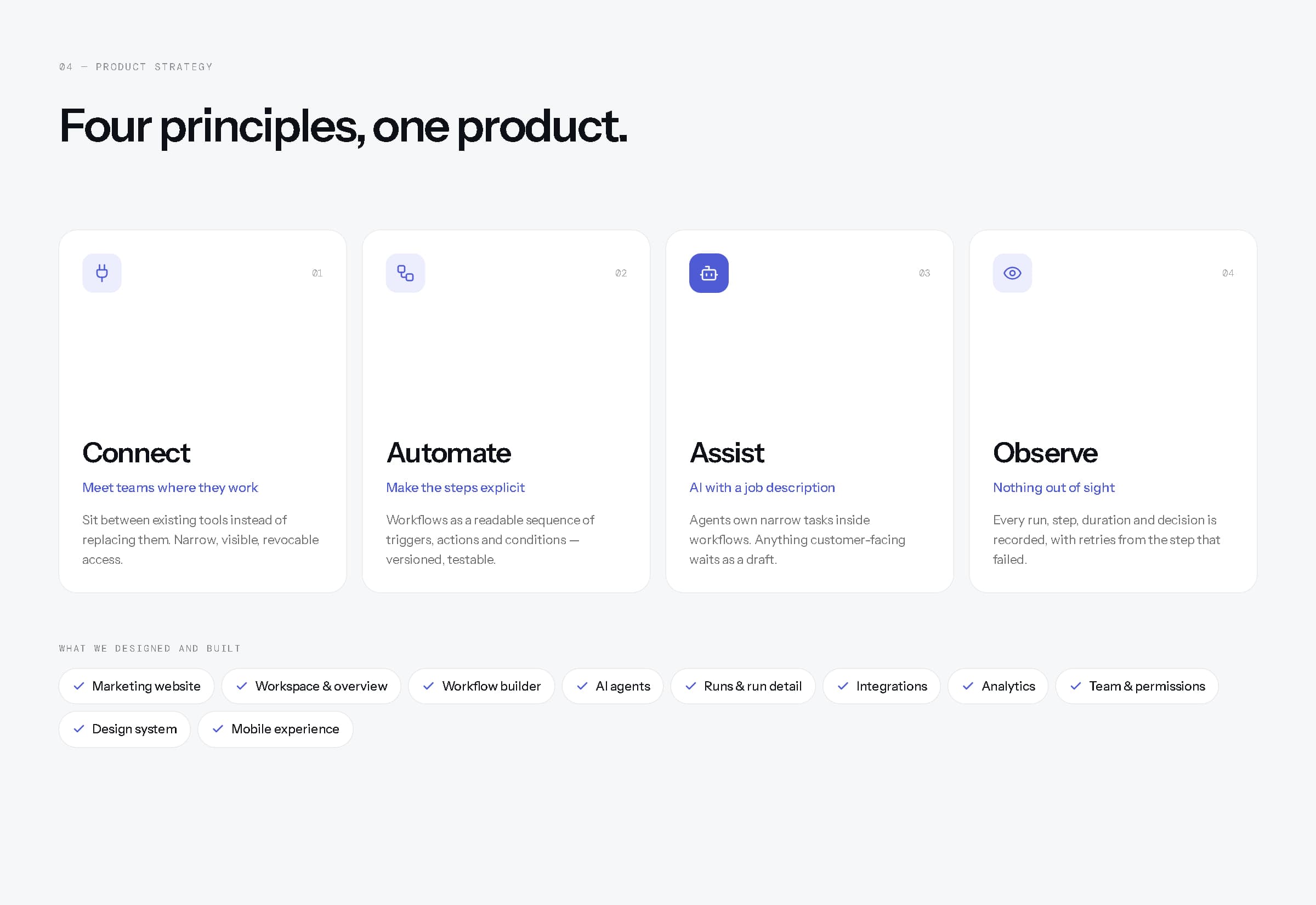
Four principles, and the scope designed and built from them.
05Brand identity
The letter N, drawn as a workflow.
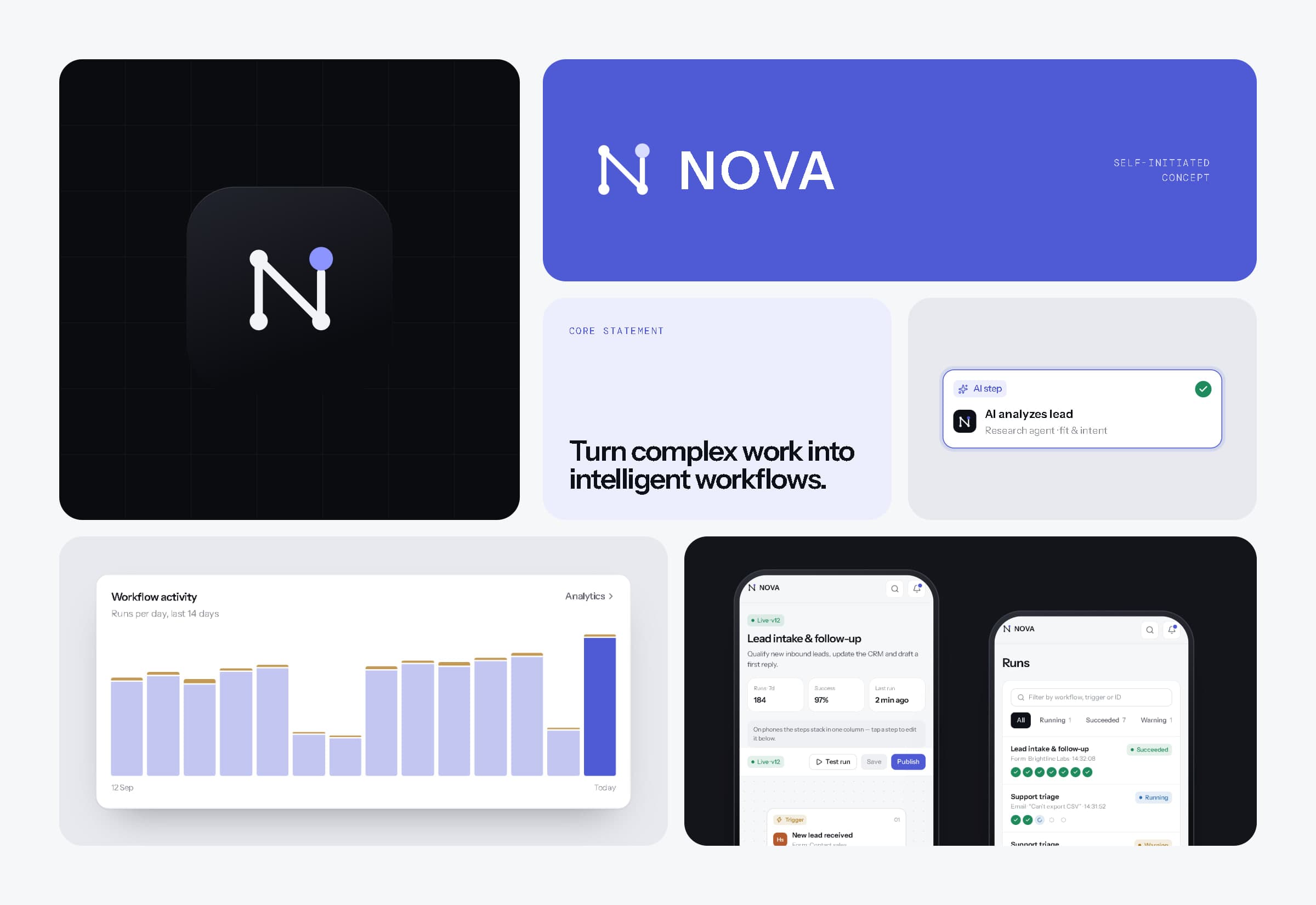
The NOVA mark draws an N as three steps joined by one path, arriving at a fourth, new point in the accent colour — structure first, and the accent marking what the work produces. It sits on a 32-unit grid with nodes at the corners of an 18-unit square and a single stroke weight. The wordmark is set in Instrument Sans capitals, lightly tracked.
The palette is near-black and cool whites with one indigo, reserved for action and for anything AI produced. Instrument Sans carries both the marketing voice and the interface; DM Mono is kept for machine facts — IDs, timings, versions and payloads.
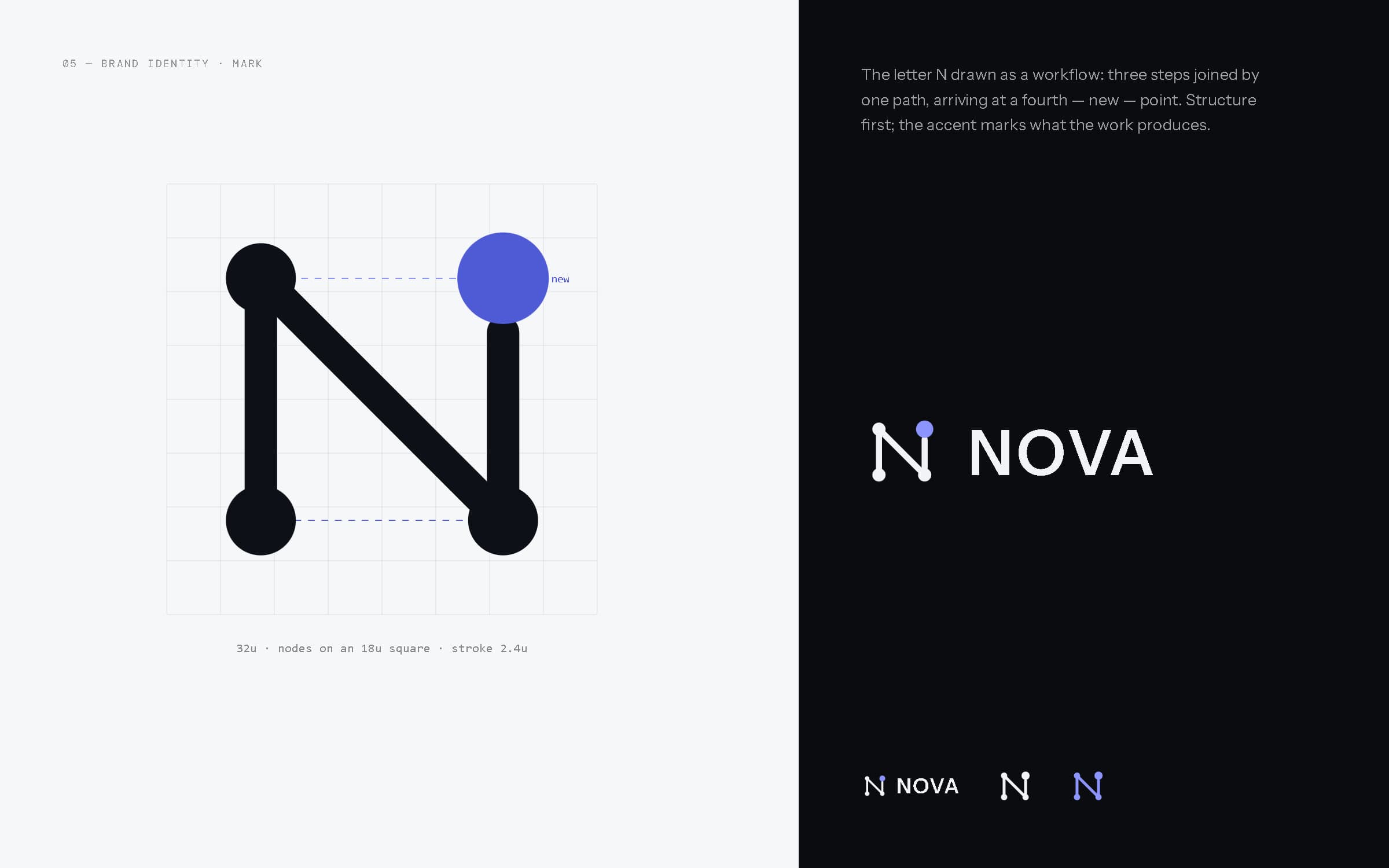
Mark construction and lockups.
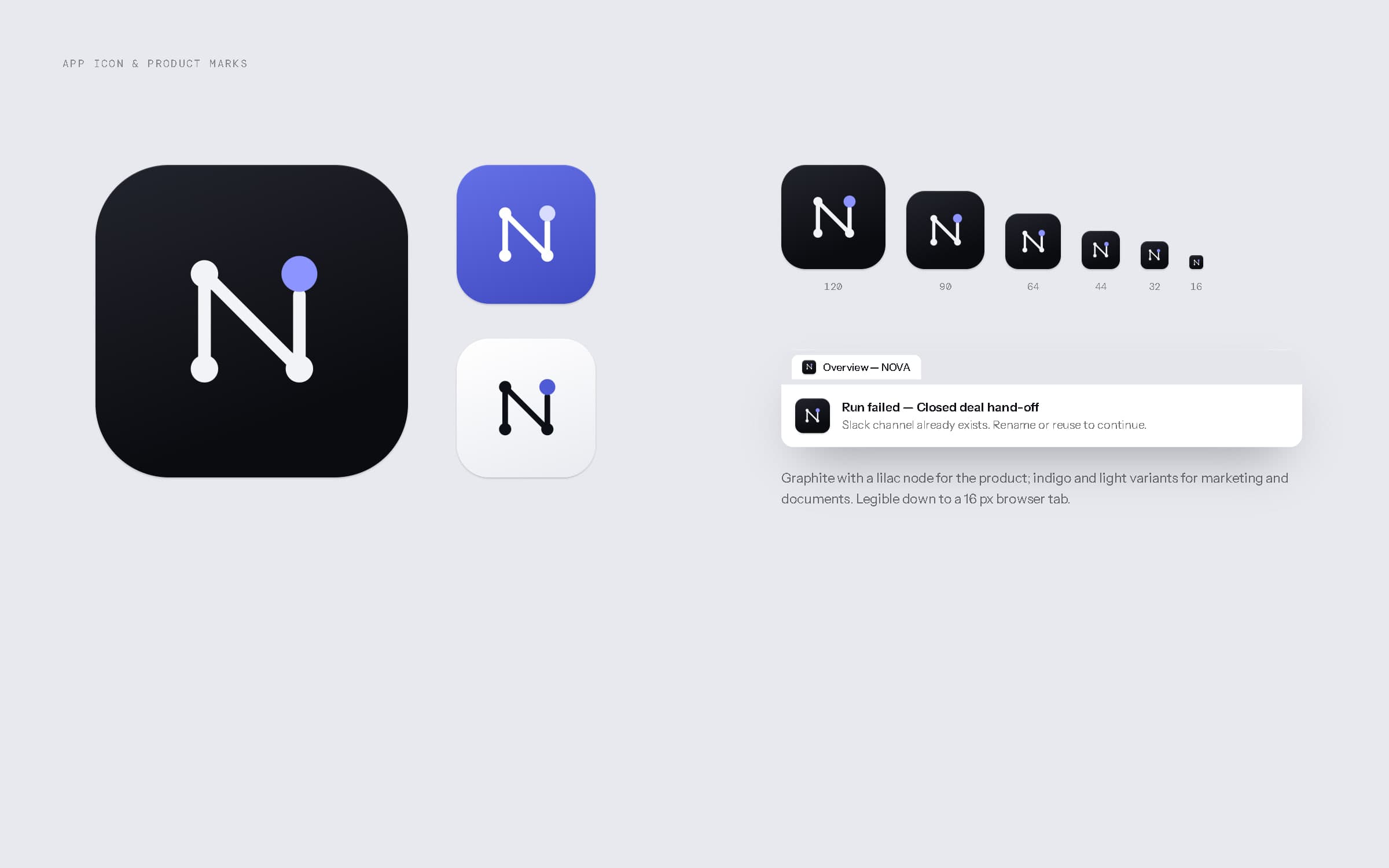
App icon in graphite, indigo and light, down to a 16 px browser tab.
- Ink#0B0C10Marketing ground, type
- Graphite#14151BDark surfaces
- Mist#F6F7F9Workspace ground
- Slate#E7E9EFDividers, fills
- Nova indigo#4F5BD5Action · AI
- Lilac#8C95FFAccent on dark
Indigo is reserved for the next action and for AI output; status colours always come with a shape and a word.
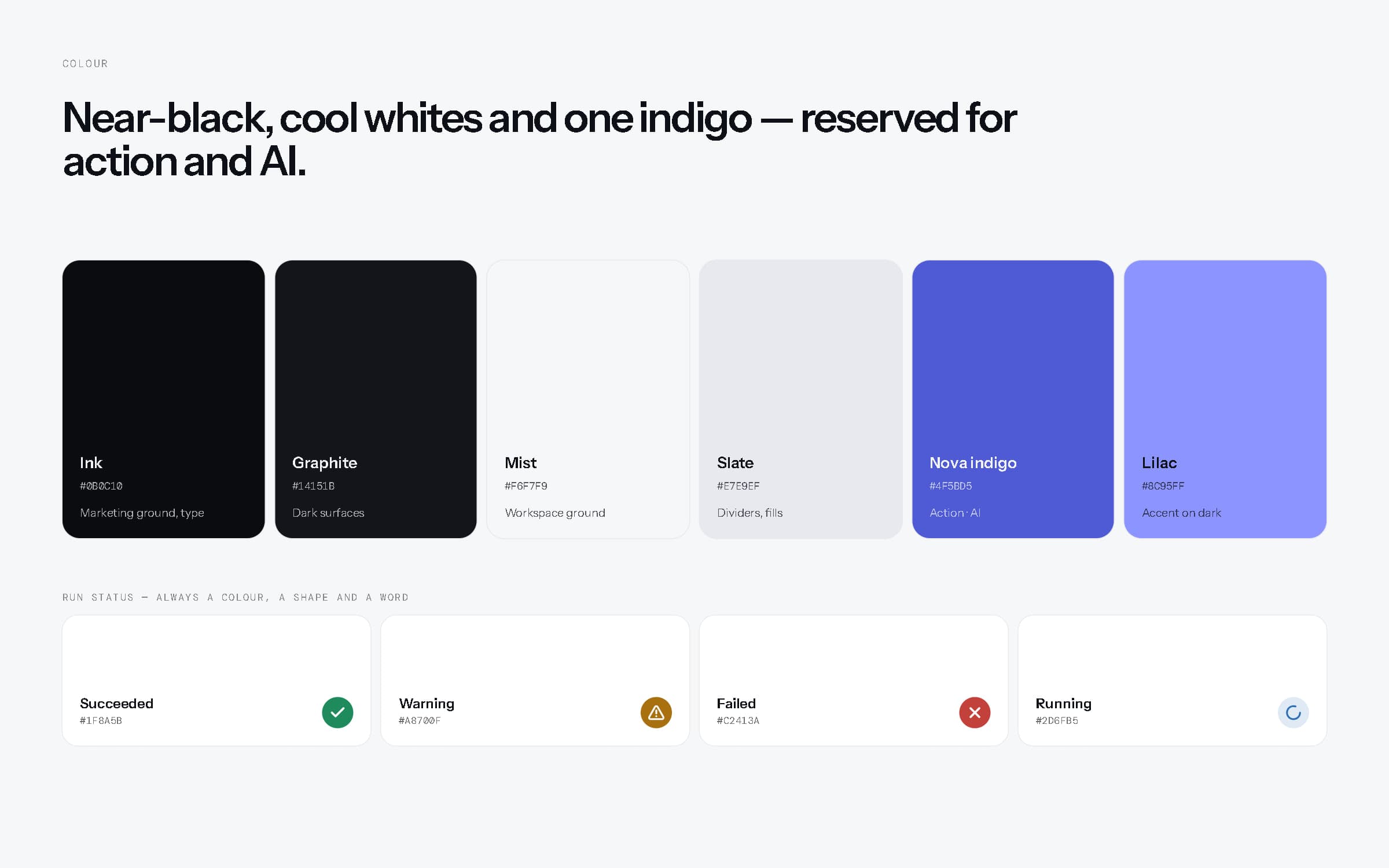
Colour — core palette and run status.
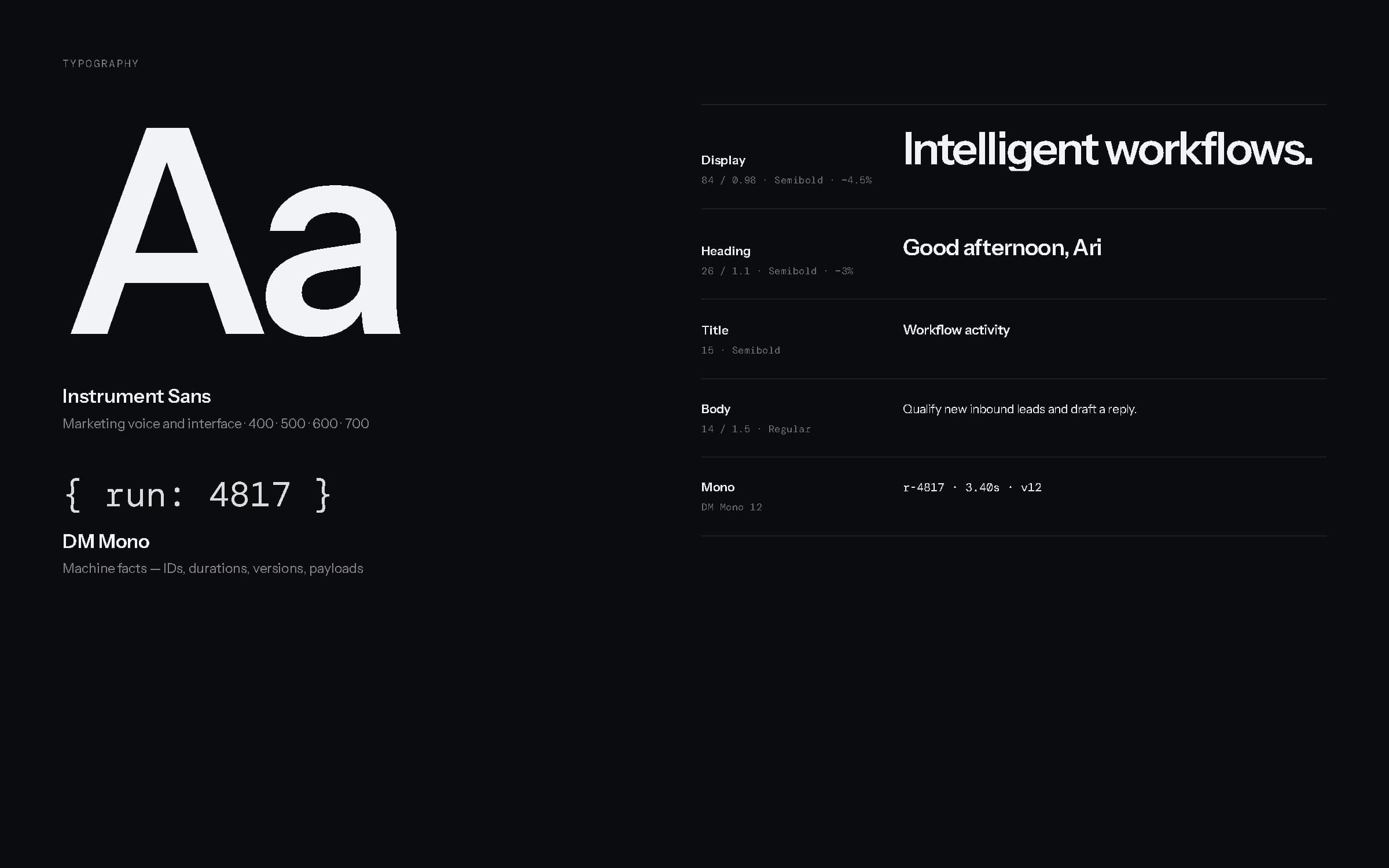
Typography — Instrument Sans and DM Mono.
06Design language
Structure you can see, and AI you can recognise.
Six principles run through the product. Workflows are drawn as what they are: steps on a line, branches labelled yes and no. Indigo means action or AI, and nothing else. Status is carried by shape and word as well as colour. Machine facts are set in mono so data never reads like prose. AI output that reaches a customer is always a draft first — and the interface says so. And quiet surfaces let dense tables and charts carry a lot without feeling loud.
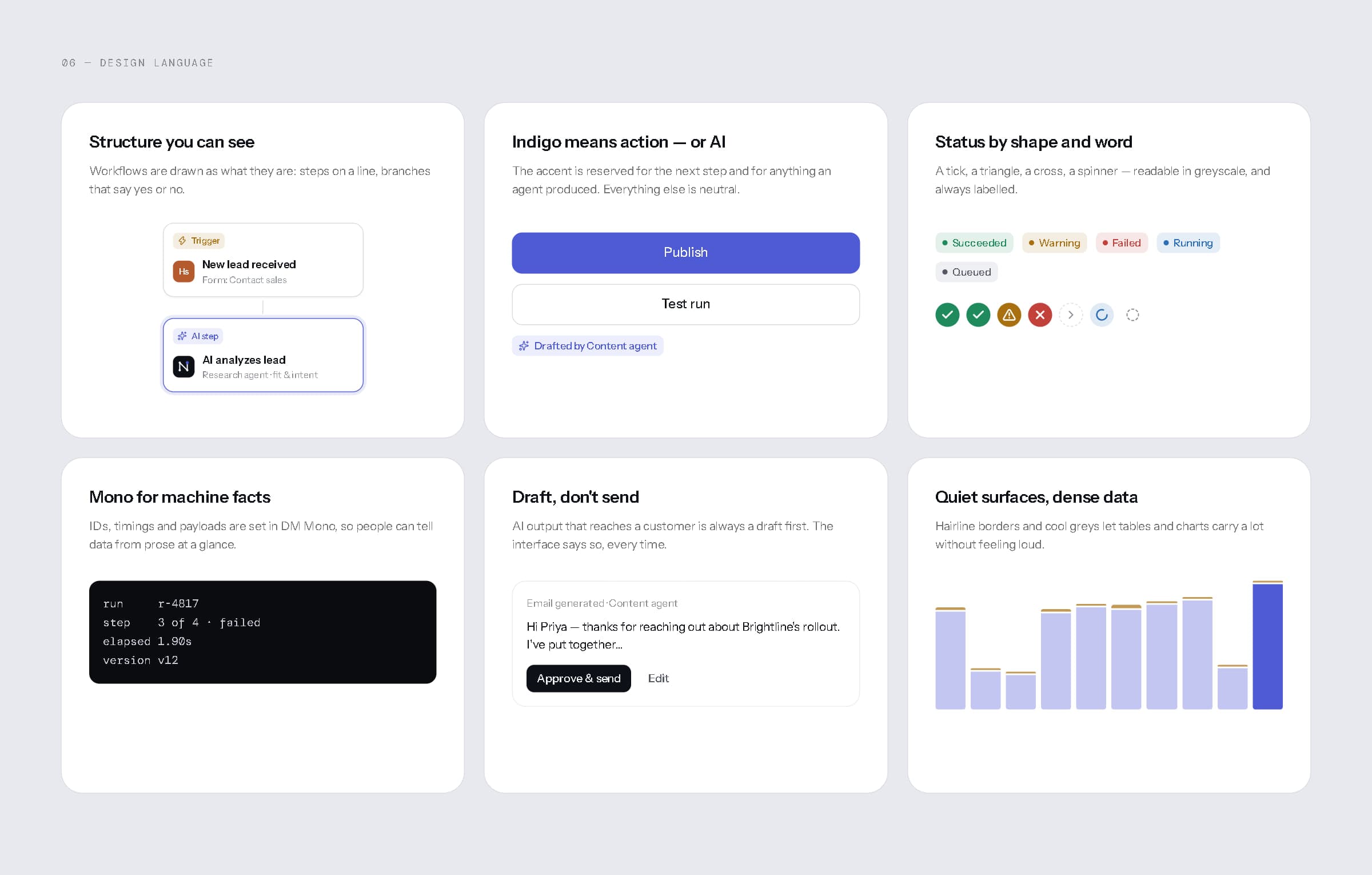
Design language, shown with the product's own components.
07Design system
Core components, product components, and every state in between.
One token set drives the light workspace and the dark marketing surfaces. On it sit the core components — buttons, inputs, dropdowns, tabs, toggles, badges, avatars, tables, navigation and charts — and a product layer built for this domain: workflow nodes for triggers, AI steps, conditions, actions, notifications and outputs; agent cards; step timelines; integration tiles; metrics and meters. Empty, loading and error states, modals, notifications and the command bar are designed as carefully as the happy path. Every board here renders the live components from the prototype.
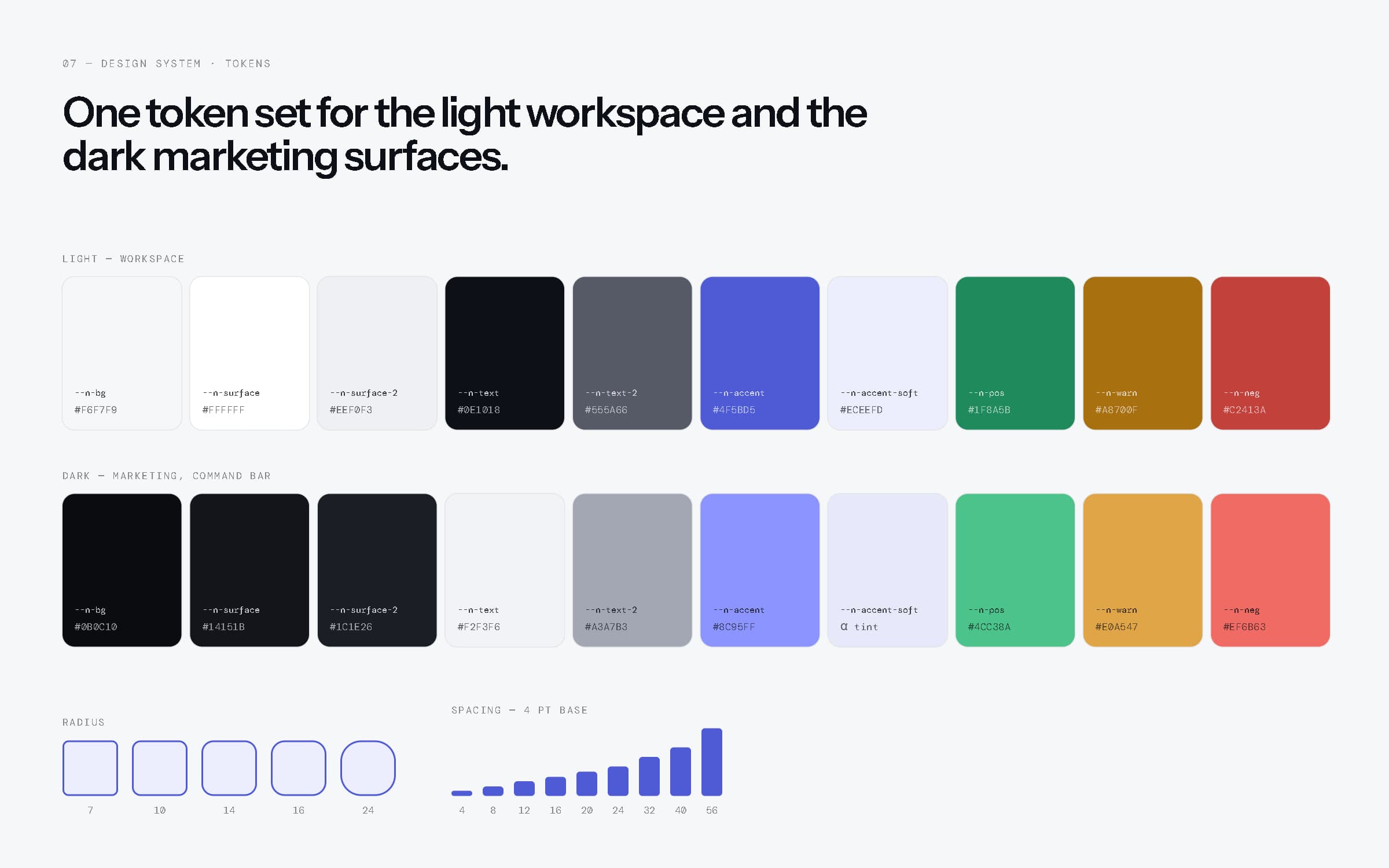
Tokens for both themes, radius and spacing.
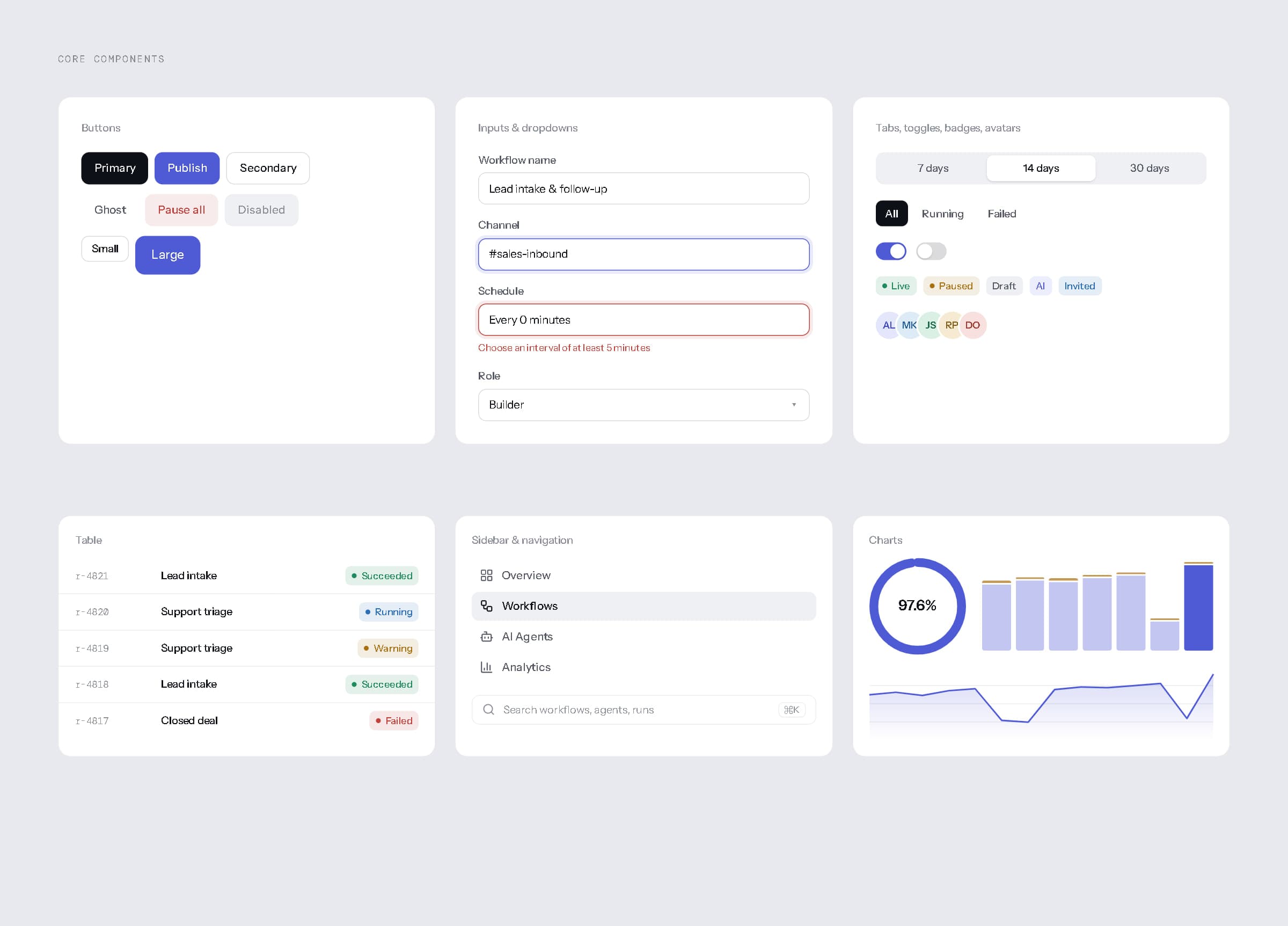
Core components.
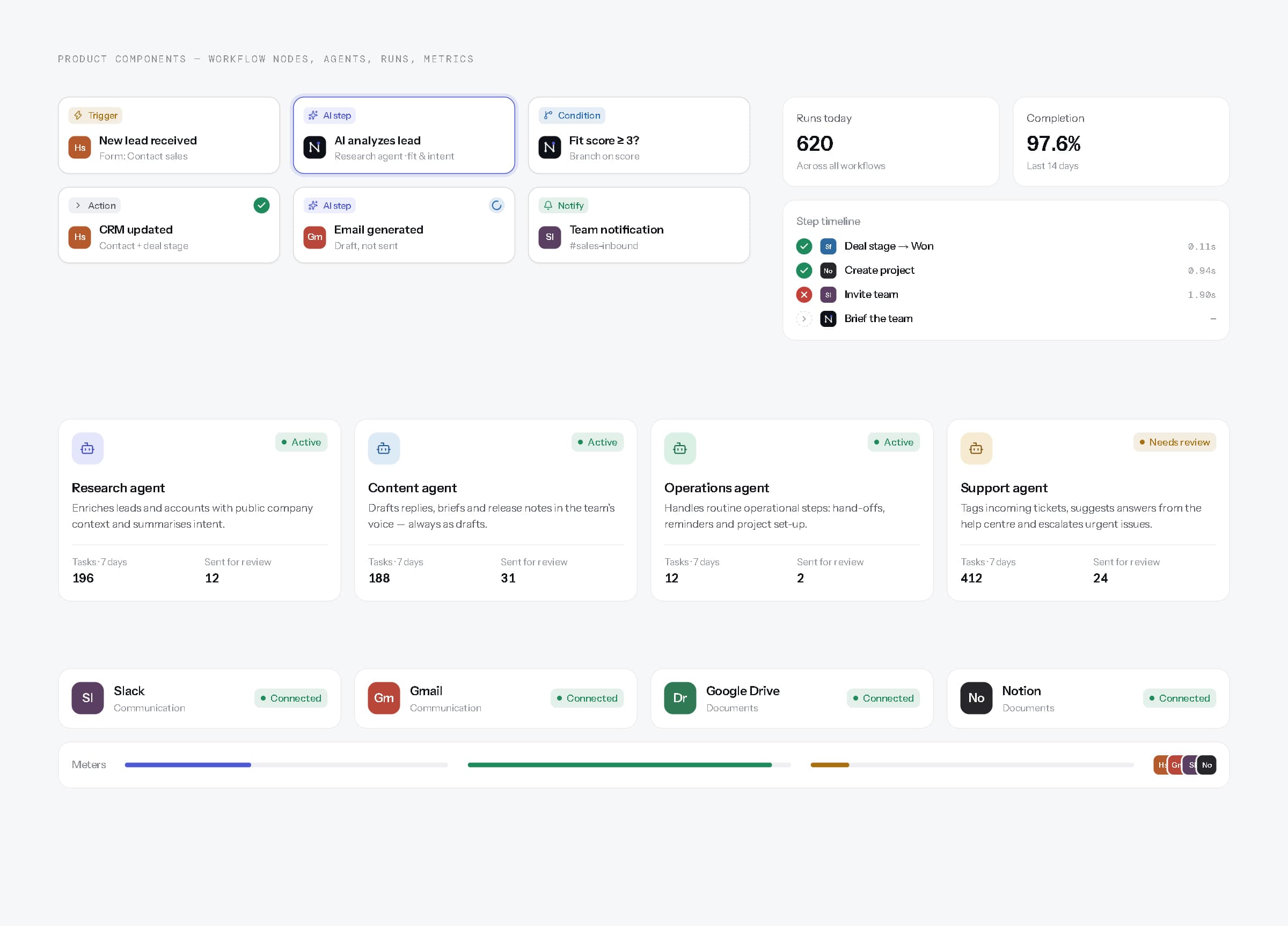
Product components — workflow nodes, agent cards, step timeline, integrations, metrics.
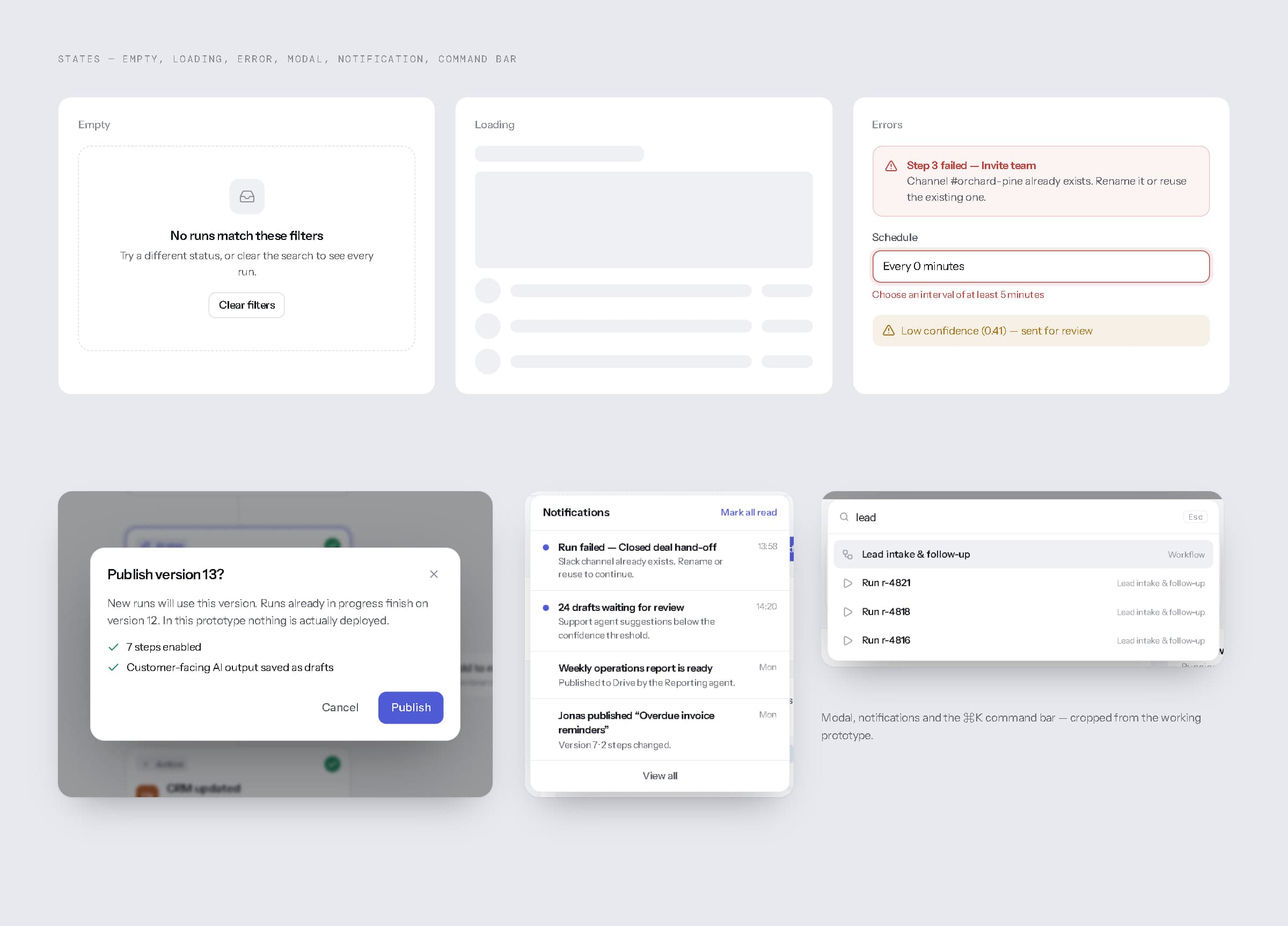
States — empty, loading, error, modal, notifications and the ⌘K command bar.
08Workspace
A dashboard that answers three questions, in order.
The overview answers three questions in order: how much ran, what is running right now, and what needs a person. Below the headline numbers sit fourteen days of workflow activity, live runs with their progress, recent runs with a step-by-step status strip, agent activity written as sentences, operational insights labelled as written by the Reporting agent, task status and usage. A ⌘K command bar jumps to any workflow, agent, run or page, and notifications collect failures and drafts waiting for review.
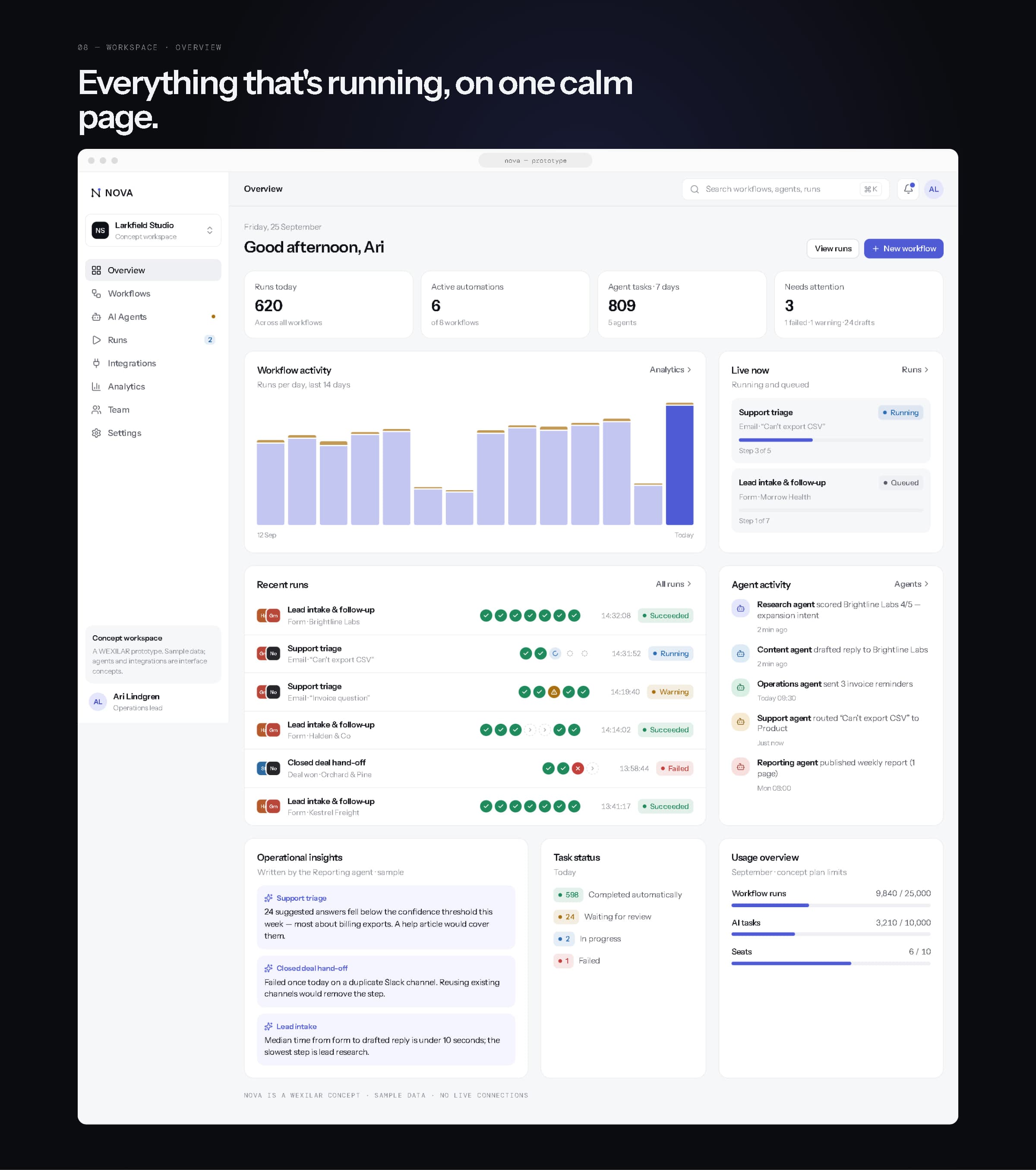
Workspace overview.
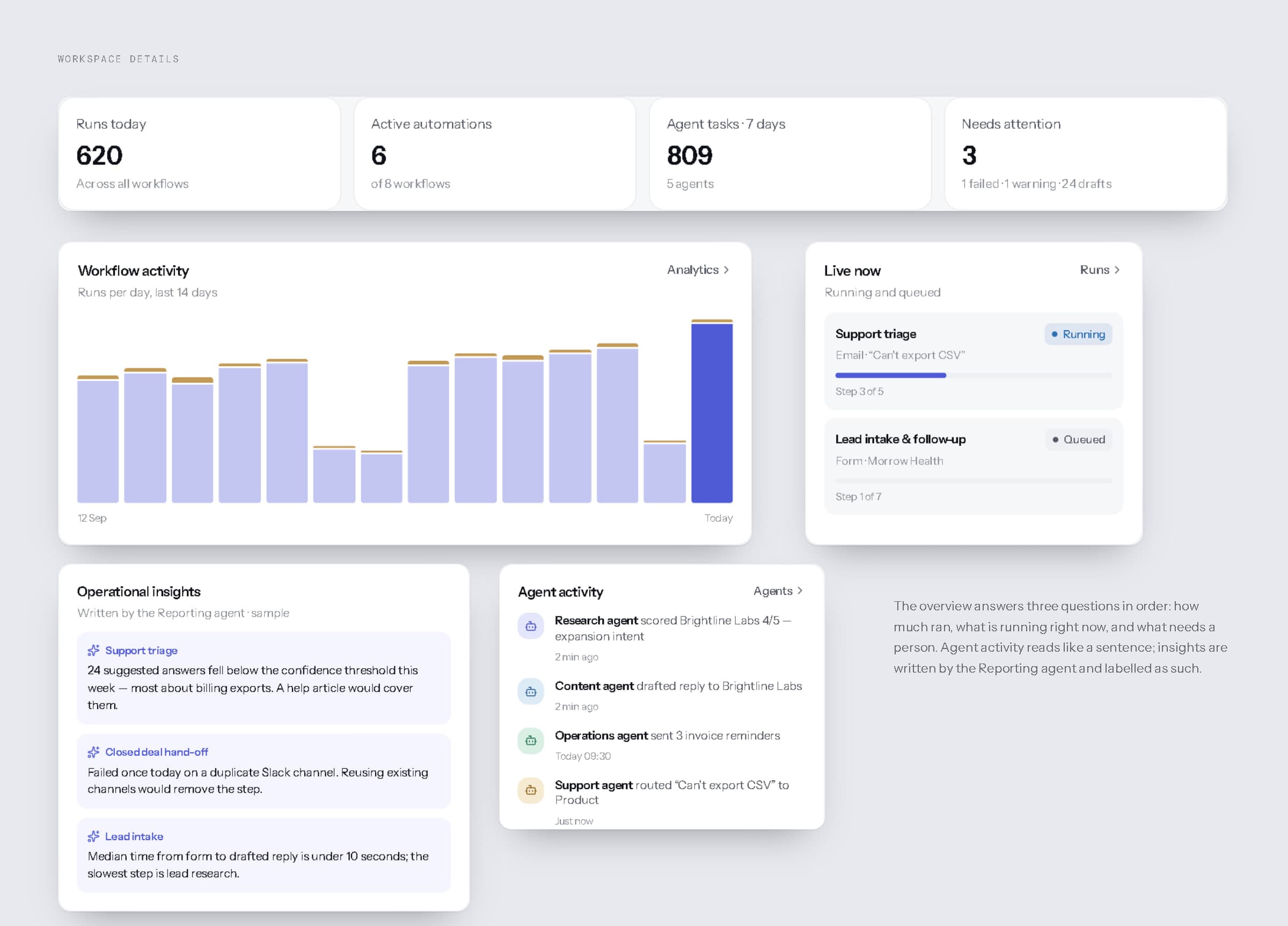
Overview details.
09Workflow builder
Build it like a checklist, run it like a system.
Workflows are built on a visual canvas: a trigger, then actions, conditions and AI steps, with branches labelled yes and no. Selecting a step opens it in the inspector, where its settings, its agent and its human-review rule can be edited, or the step disabled without deleting it. A test run animates through the steps on sample data; saving keeps a draft; publishing creates a new version, and every run records which version it used.
The example shown — a new lead received, analysed by an AI step, branched on fit, written to the CRM, answered with a drafted email, announced to the team and logged to a report — is fully interactive in the prototype.
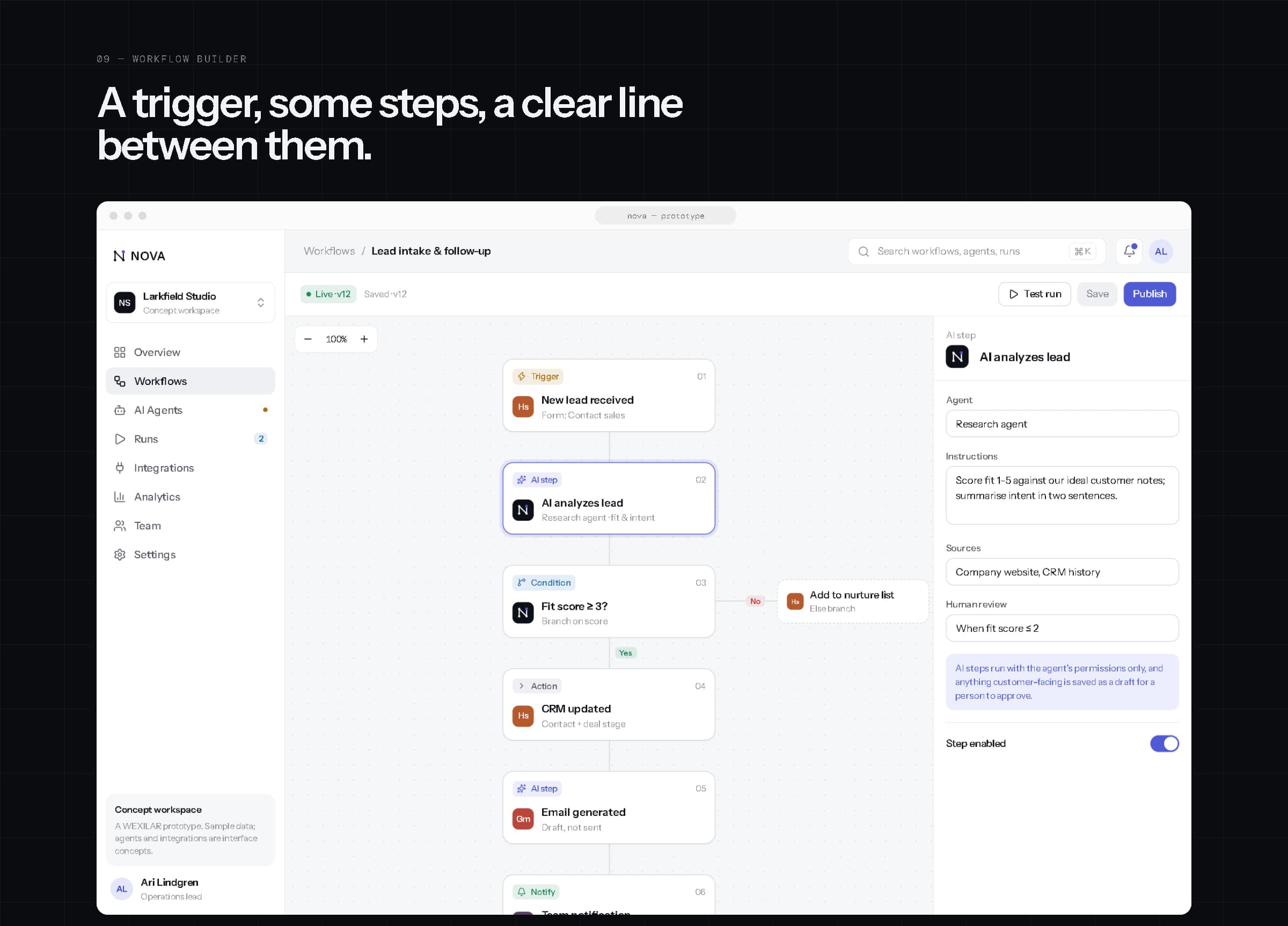
The workflow builder — canvas and inspector.
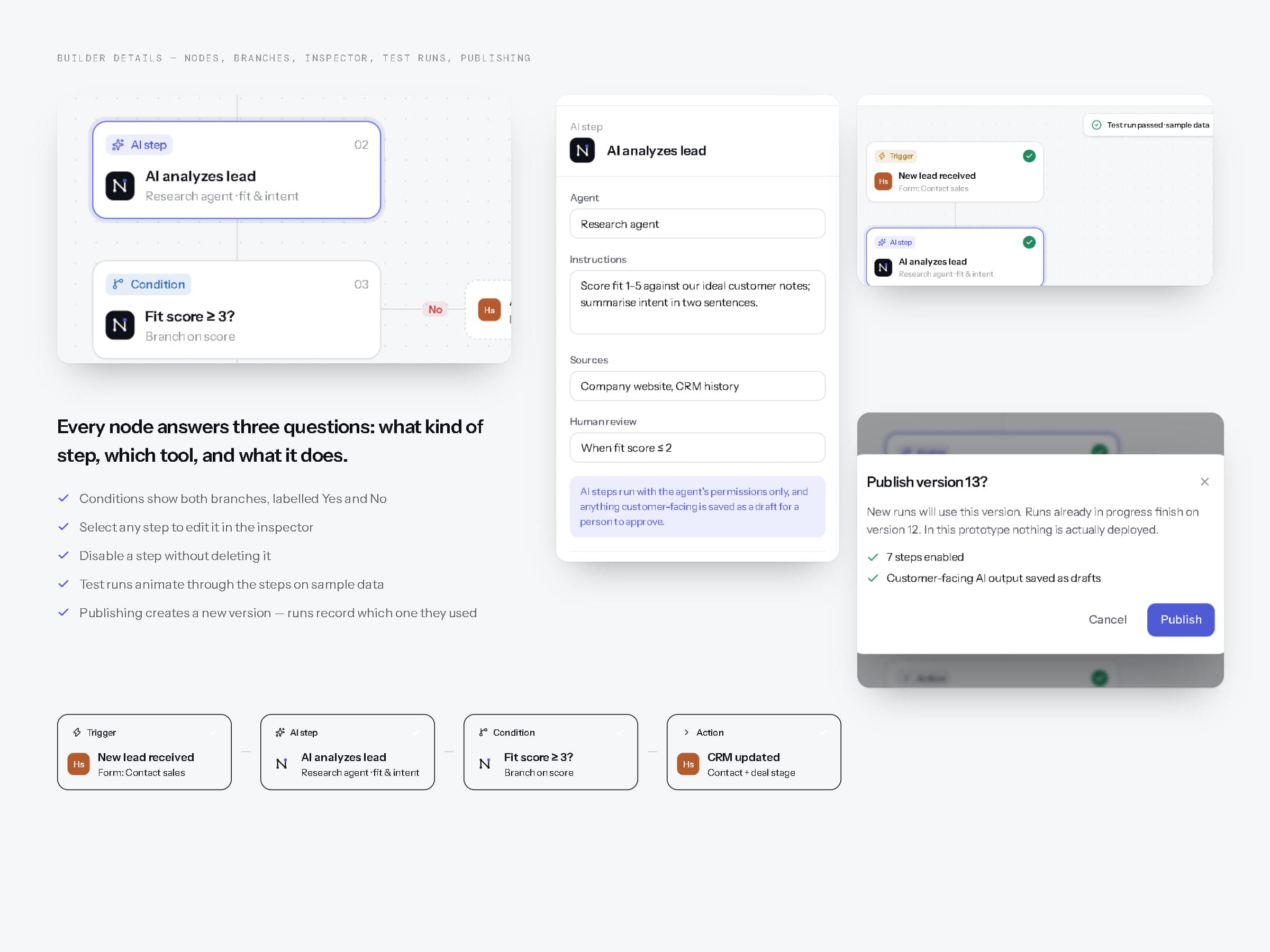
Nodes, branches, the inspector, a passing test run and publishing.
10AI agents
Five narrow roles, one set of rules.
NOVA's five agents — research, content, operations, support and reporting — each have a purpose, a list of workflows they may run in, recent activity, permissions and a configuration. Read, write and send are separate switches for each connected tool, and agents can't grant themselves more. Below a confidence threshold, an agent's work goes to a person; customer-facing text is always a draft first. Agent steps appear in run history like any other step.
These agents are conceptual product features with sample activity — not deployed AI systems.
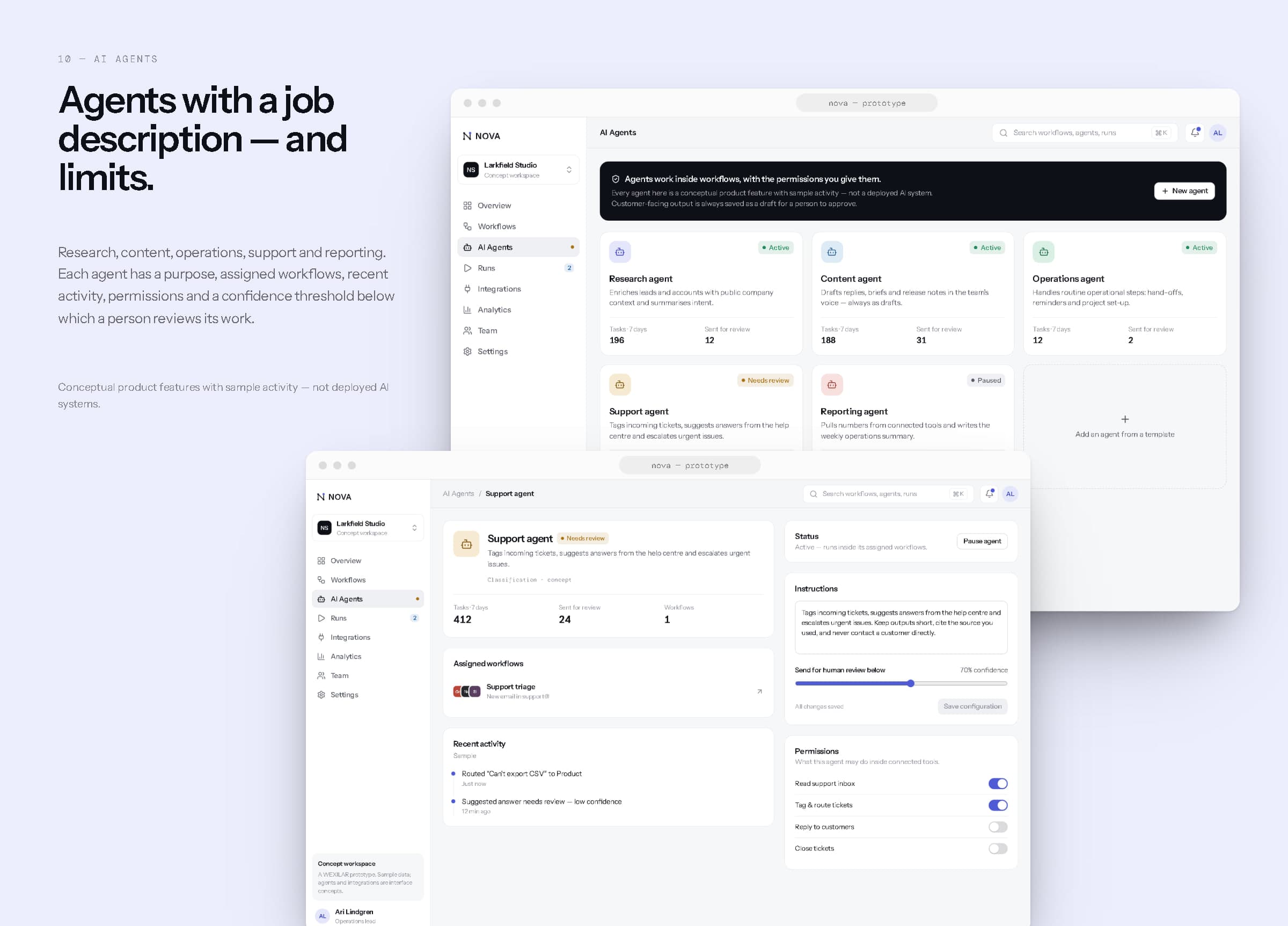
Agents and an agent's configuration.
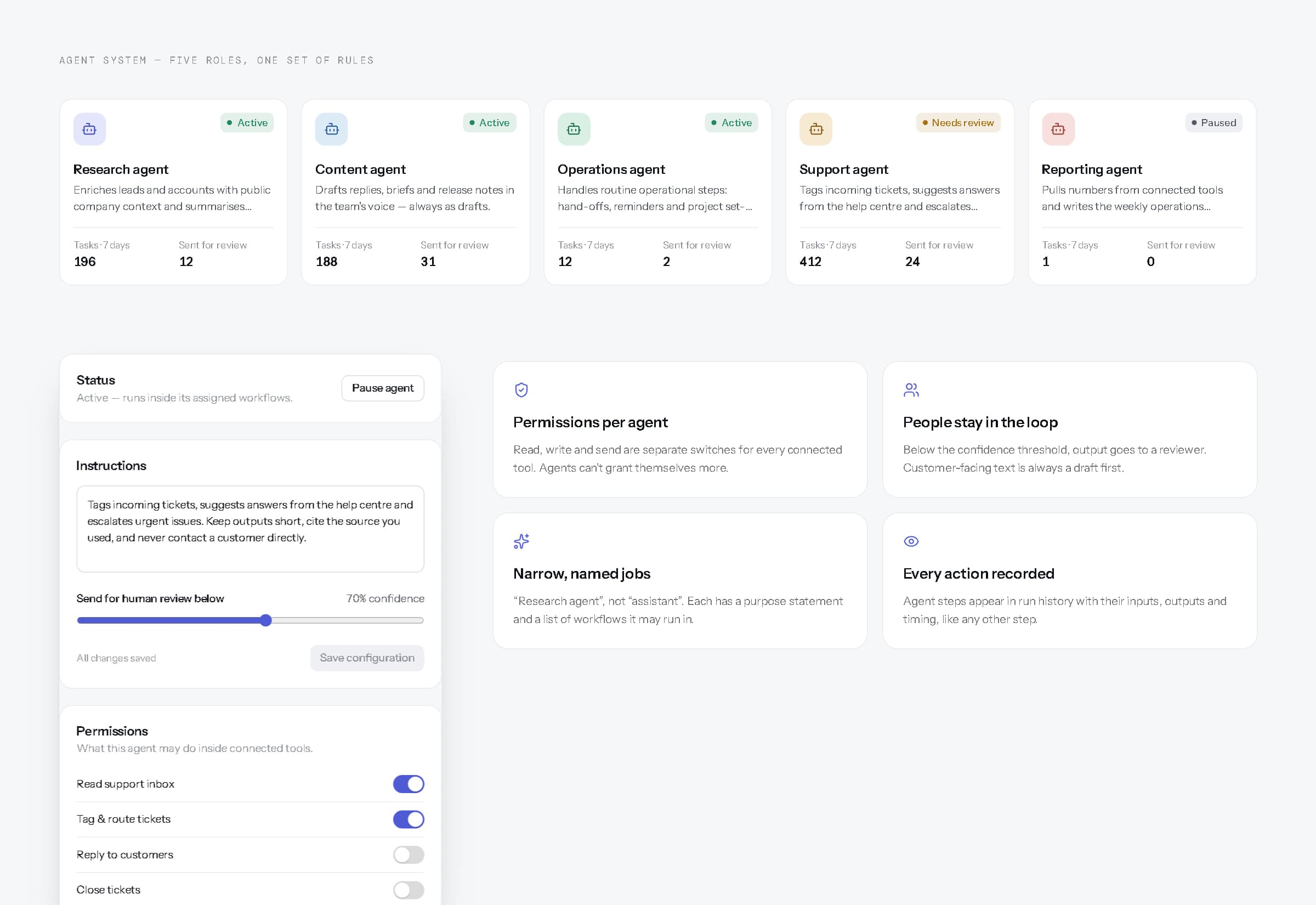
Five roles, one set of rules.
11Runs
When something breaks, it says where — and why.
Runs list every execution with its workflow, trigger, status, steps, start time and duration, filterable by status and searchable. Opening a run shows each step in order with the time it took, notes and errors written for the person who has to fix them, the trigger payload, and a plain-language account of what happened. A failed run can be retried from the step that failed — earlier steps are kept, so nothing is sent twice.
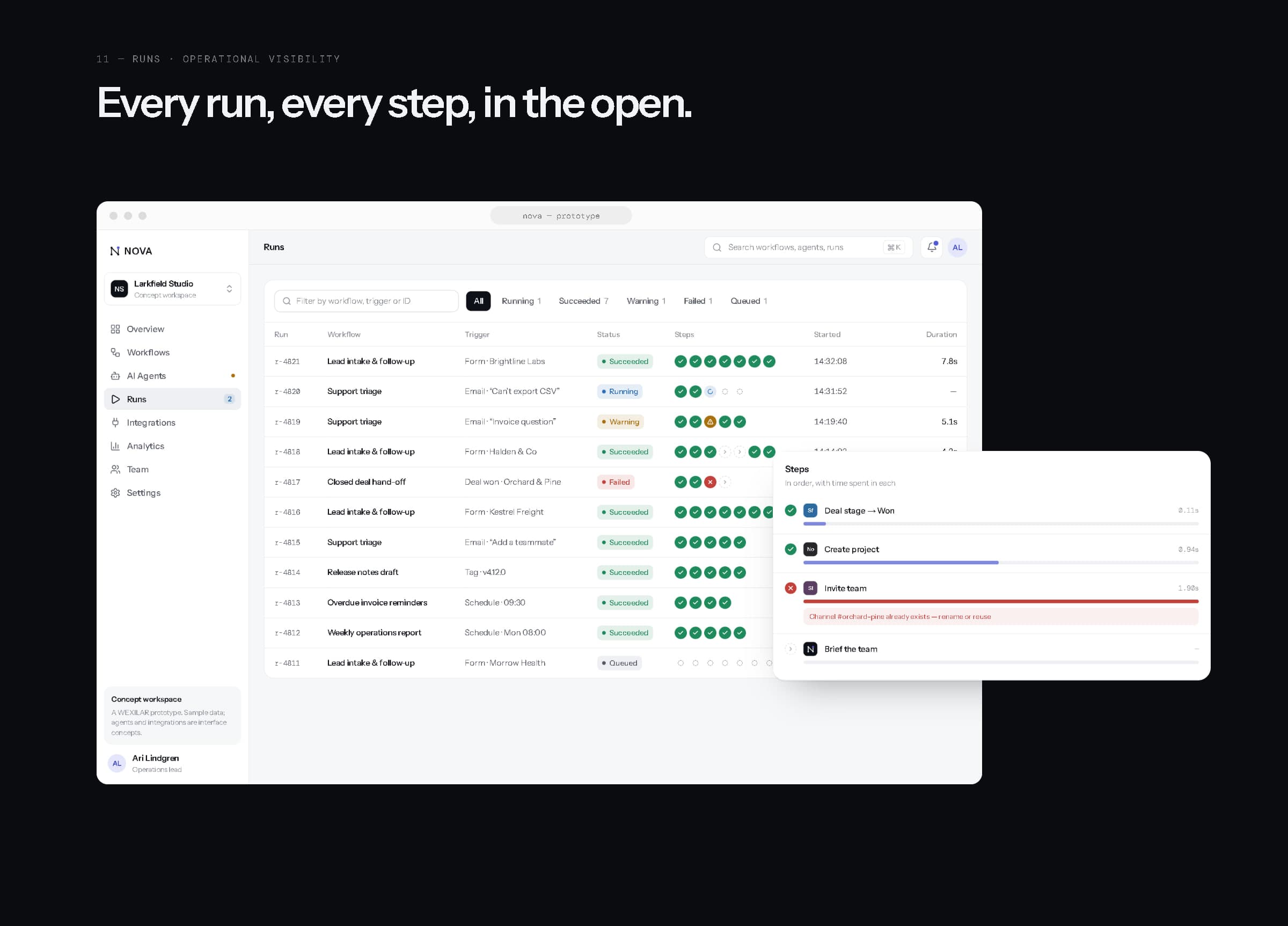
Runs, with a failed run's steps.
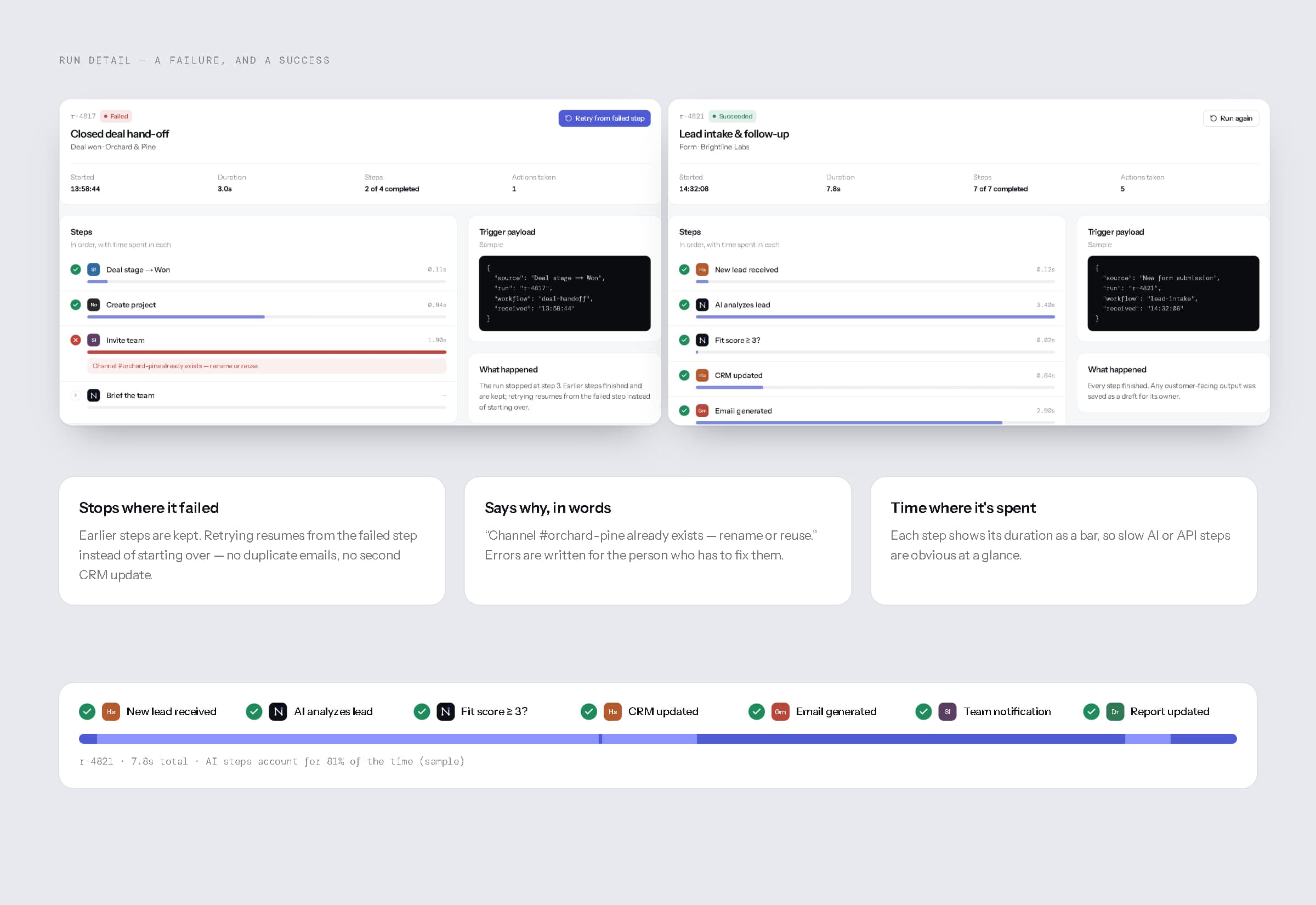
Run detail — a failure and a success, and where the time goes.
12Integrations
Between your tools, not instead of them.
Integrations show how connectors to tools like Slack, Gmail, Google Drive, Notion, HubSpot, Salesforce, Stripe and GitHub would appear: filterable by category, each listing the workflows that use it and the exact permissions it would ask for. These are interface concepts — no third-party APIs are connected, no partnerships are implied, and every tile uses a neutral monogram rather than a company logo.
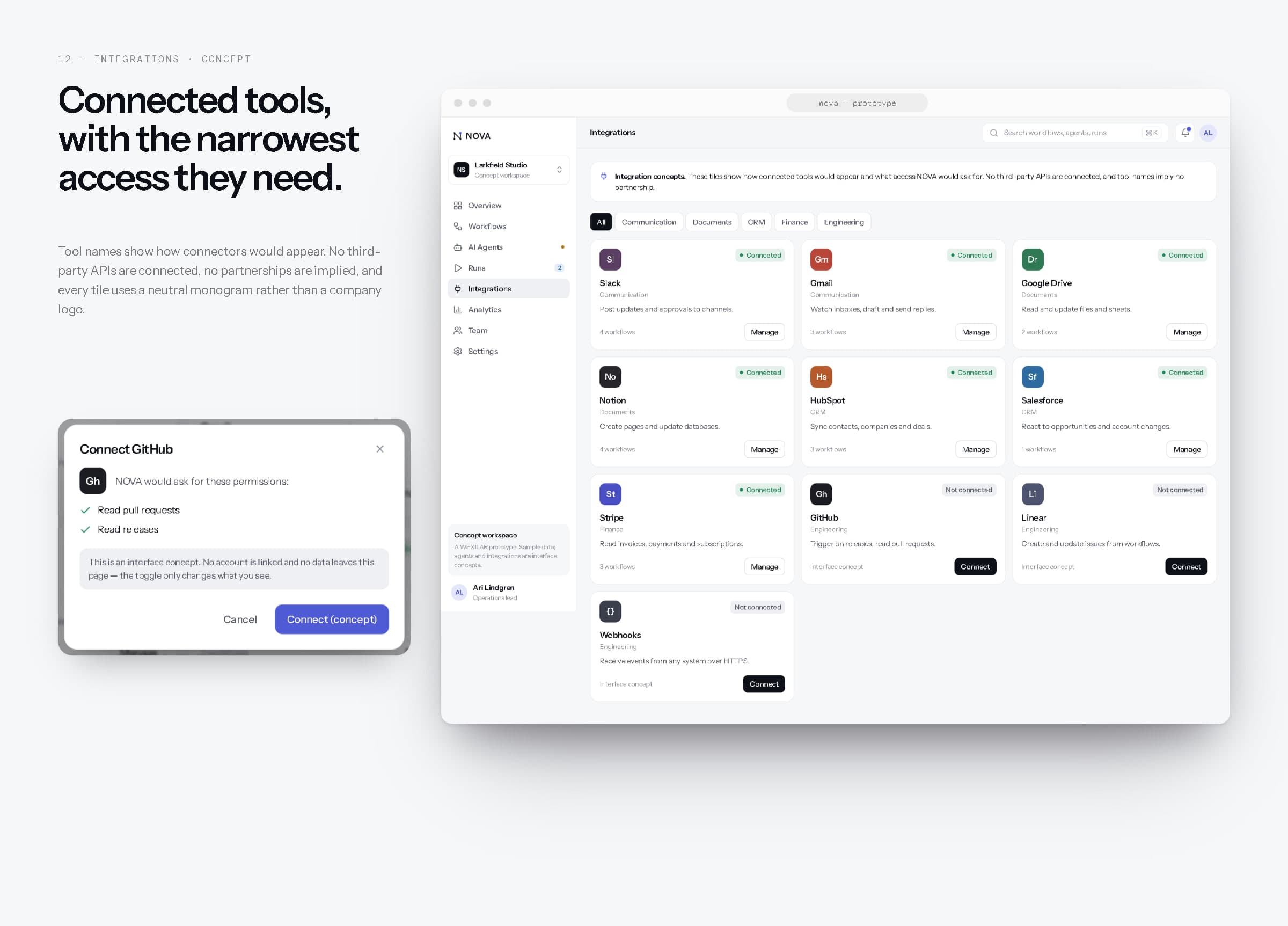
Integrations and the connect dialog (concept).
13Analytics
Find the next thing worth automating.
Analytics shows run volume split into succeeded and needed-attention, completion rate, execution trend, runs by workflow and agent activity with the share of work reviewed by a person — across seven, fourteen or thirty days. It is built to find the next thing worth automating, and the thing that shouldn't be. All figures are sample data for the concept workspace.
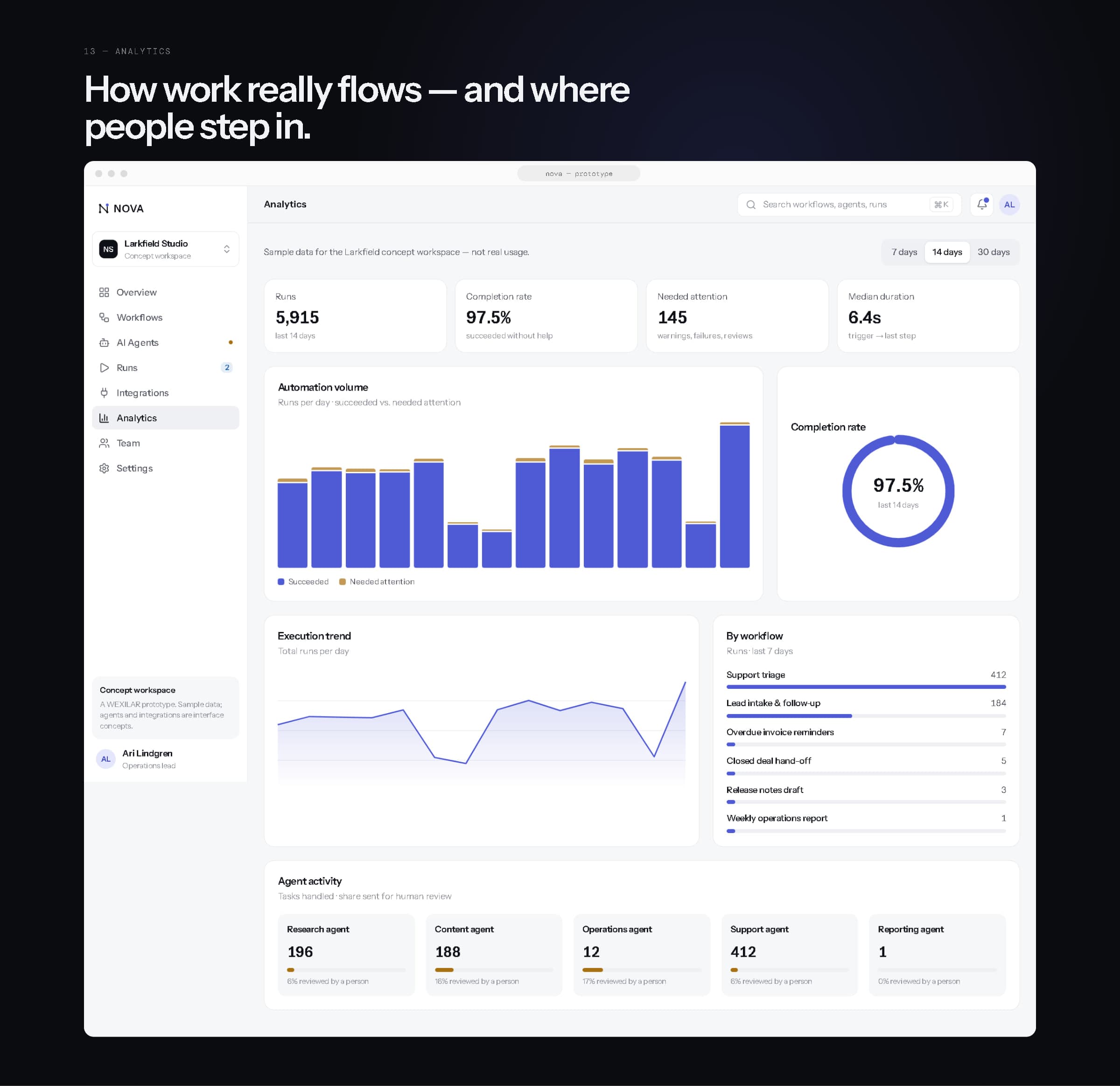
Analytics.
14Responsive experience
Designed for each screen, not shrunk to fit.
Desktop gets the full sidebar. Tablet gets a scrollable section rail above the content. On phones, NOVA becomes a tool for keeping an eye on things: a four-tab bar with a “More” sheet, tables replaced by cards, the builder stacked into one column with a summary above it, and the dashboard reordered around what someone on the move needs first — what ran, what failed, which agent needs a reviewer. Every screen was checked at 390, 768 and 1440 pixels.
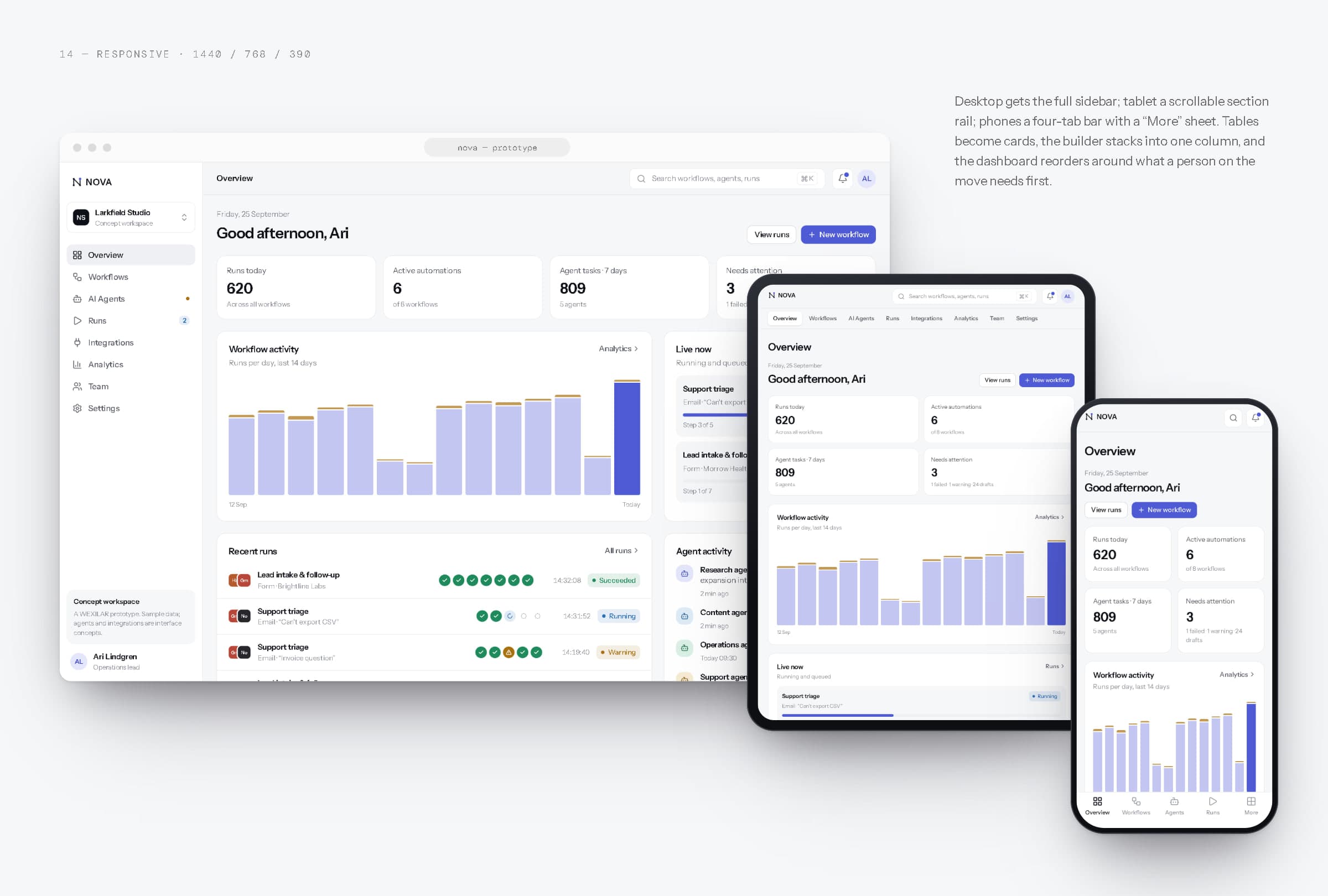
Desktop, tablet and phone.
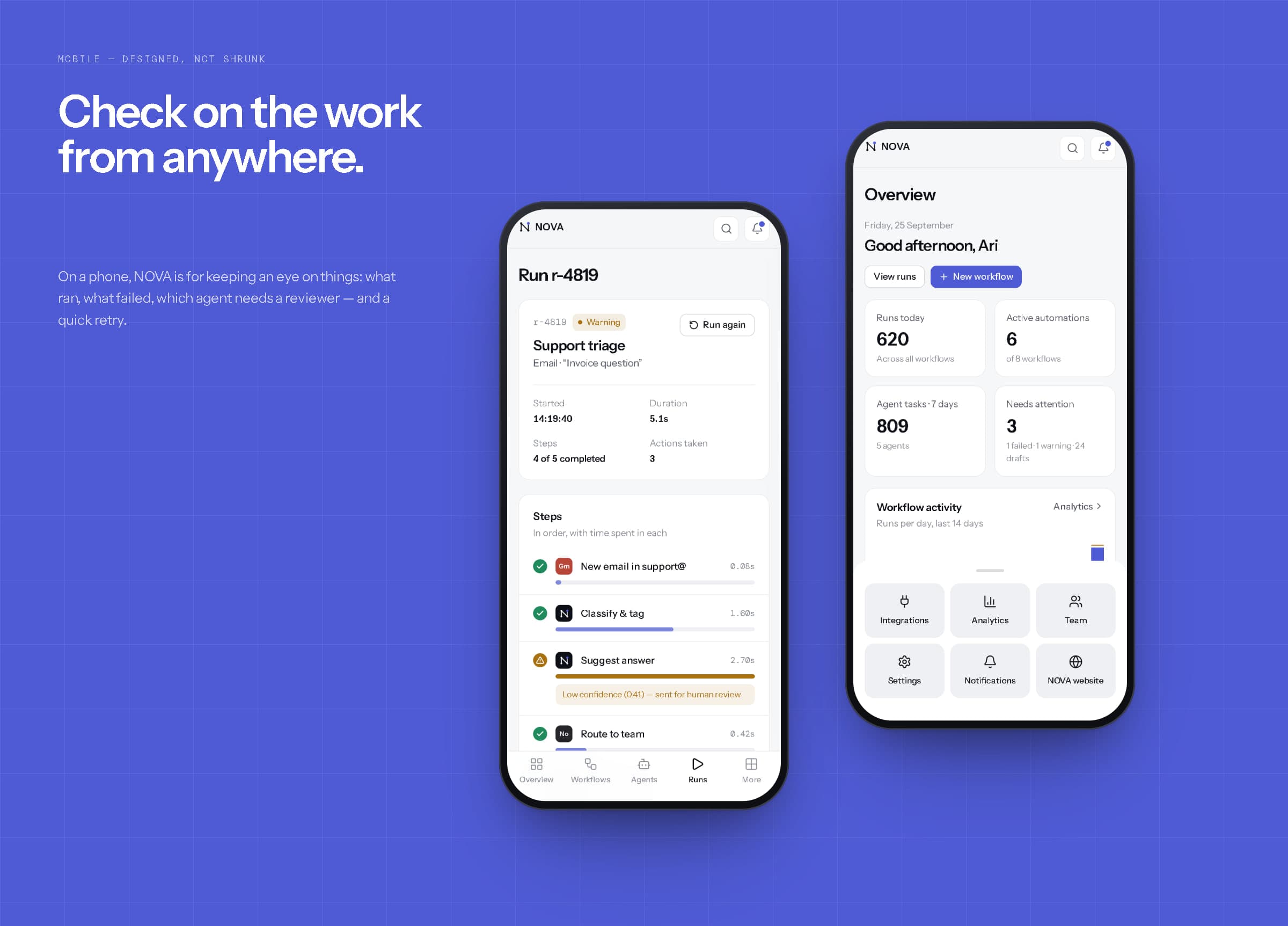
Mobile — a run needing review, and the More sheet.
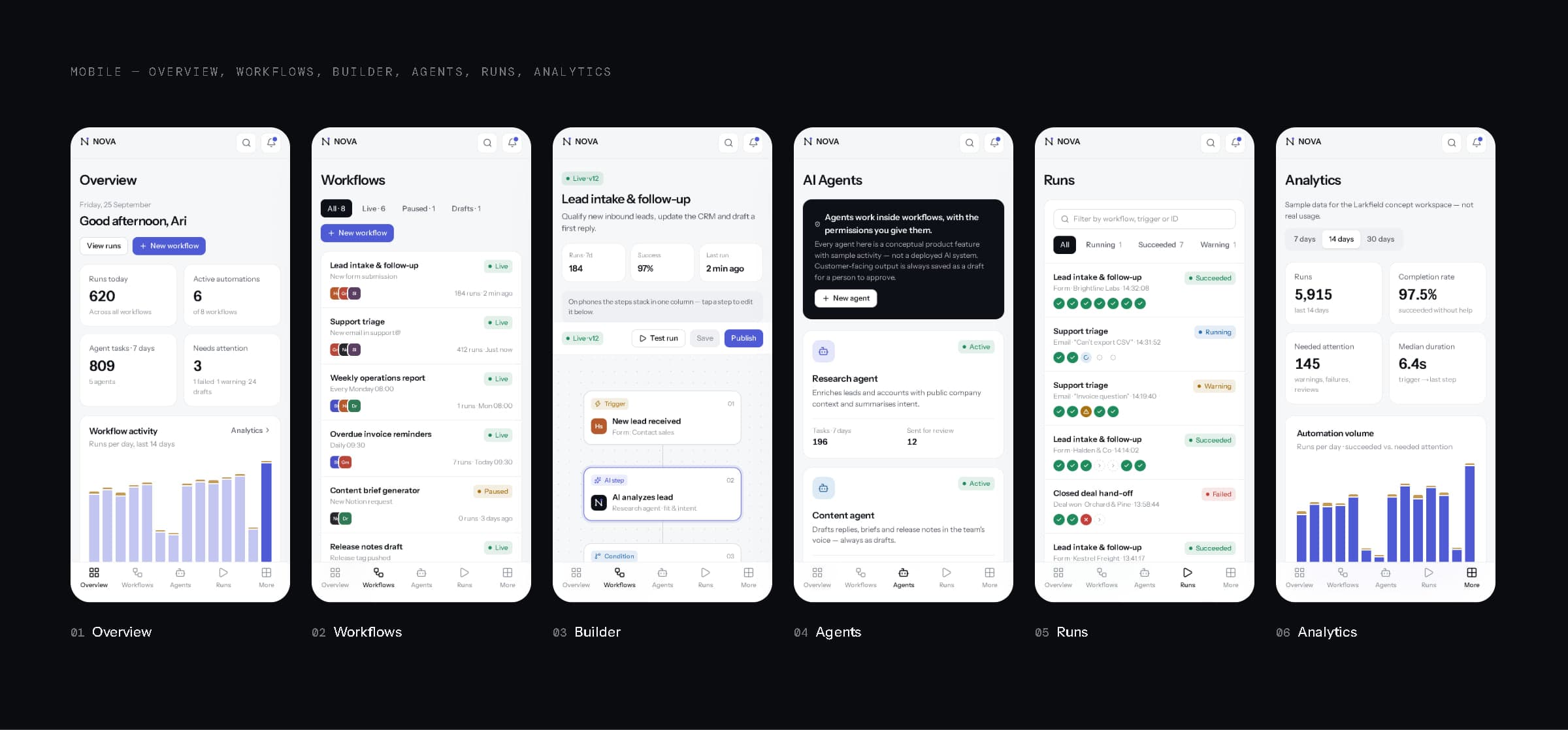
Overview, workflows, builder, agents, runs and analytics on a phone.
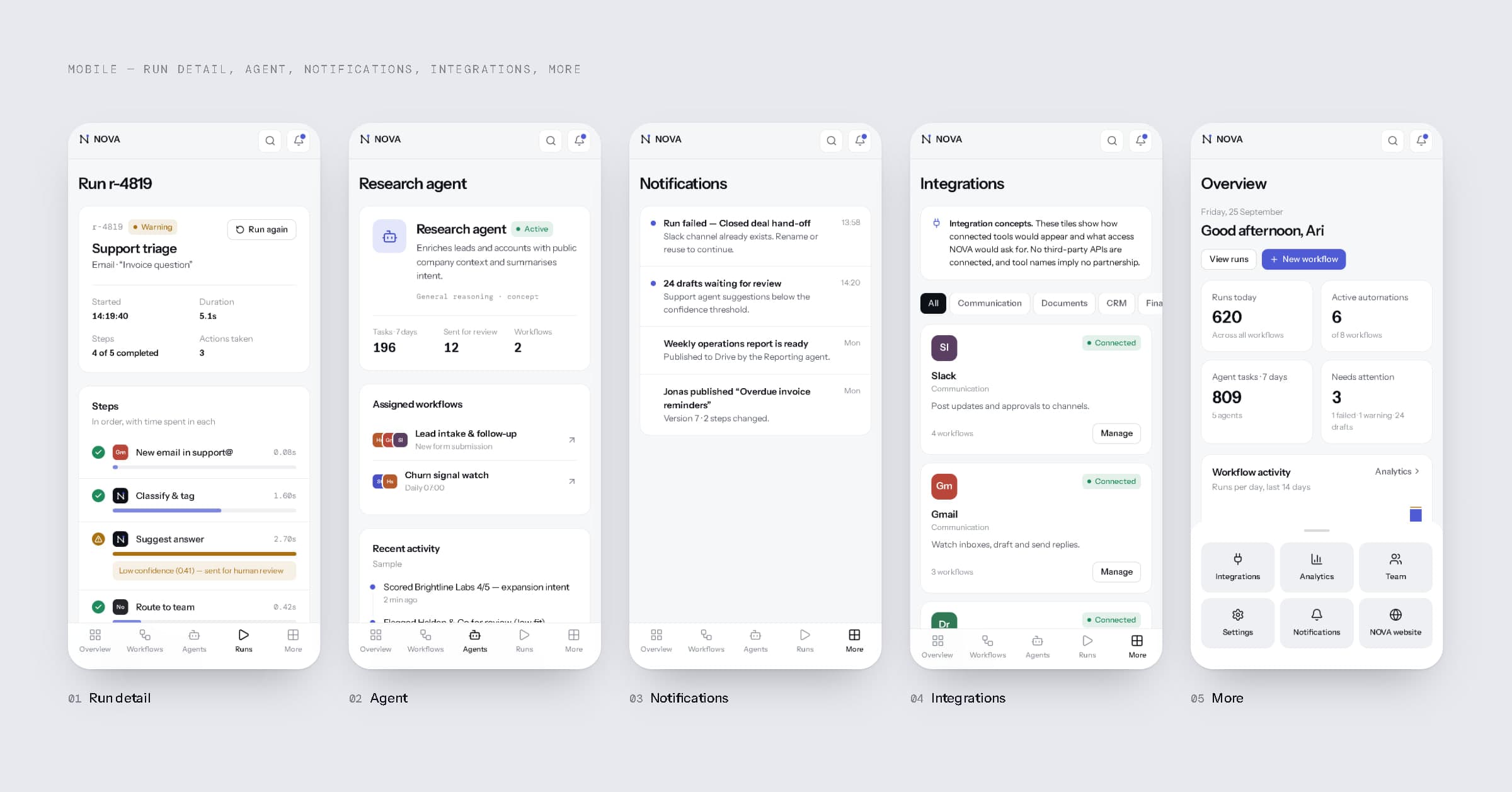
Run detail, an agent, notifications, integrations and the More sheet.
15Marketing website
A website that shows the product, not a promise.
The NOVA website introduces the product in sixteen sections: a hero with the product itself rather than an illustration, the problem it solves, core benefits, workflow automation, AI agents, integrations, operations visibility, analytics, team collaboration, product screenshots, a four-step “how it works”, use cases, a security and control section framed explicitly as a product concept rather than a compliance claim, a final call to action and a footer that says what NOVA is. It uses live product components throughout and carries no customer logos, testimonials or metrics.
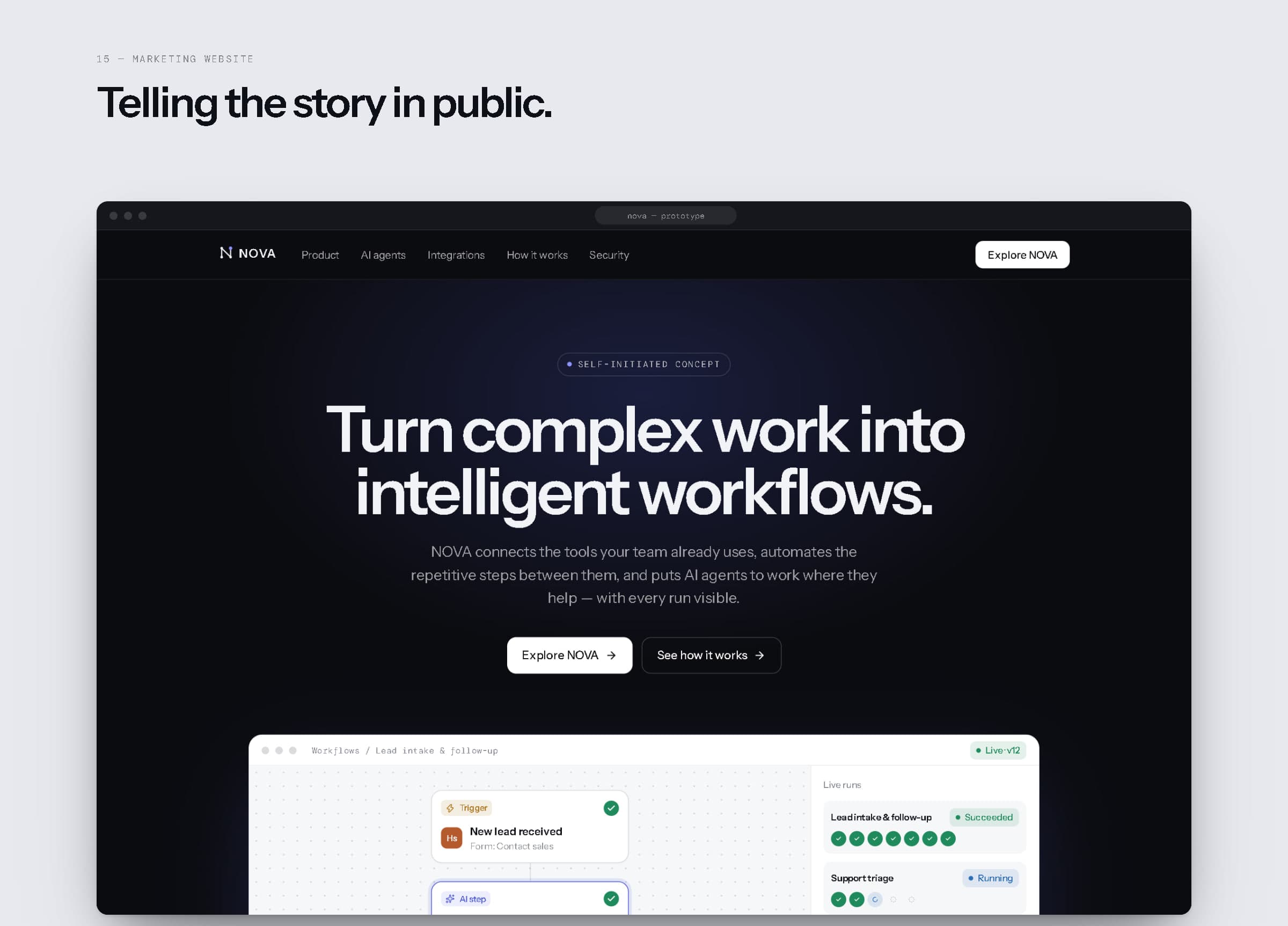
Website hero.
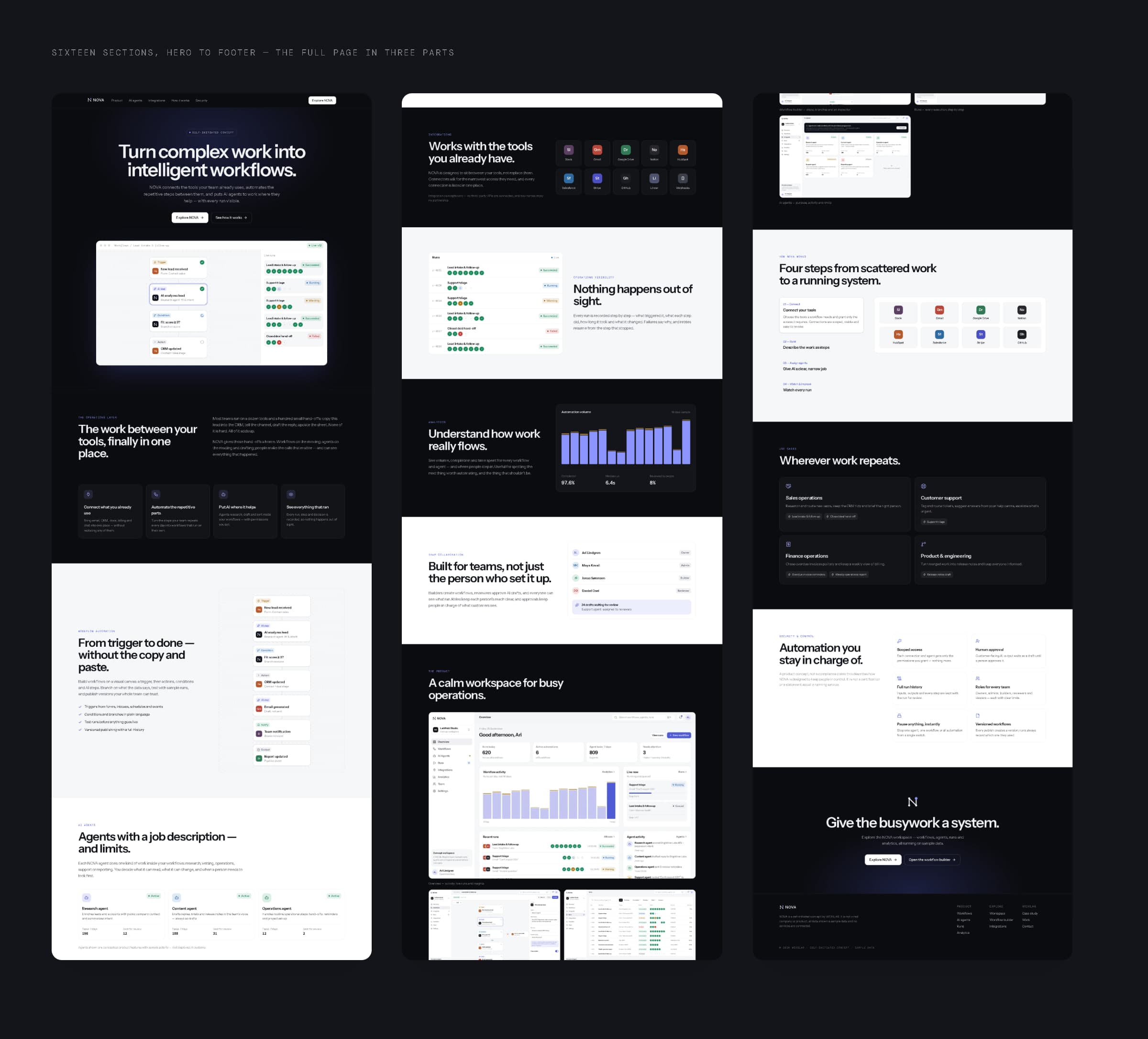
The full page, hero to footer.
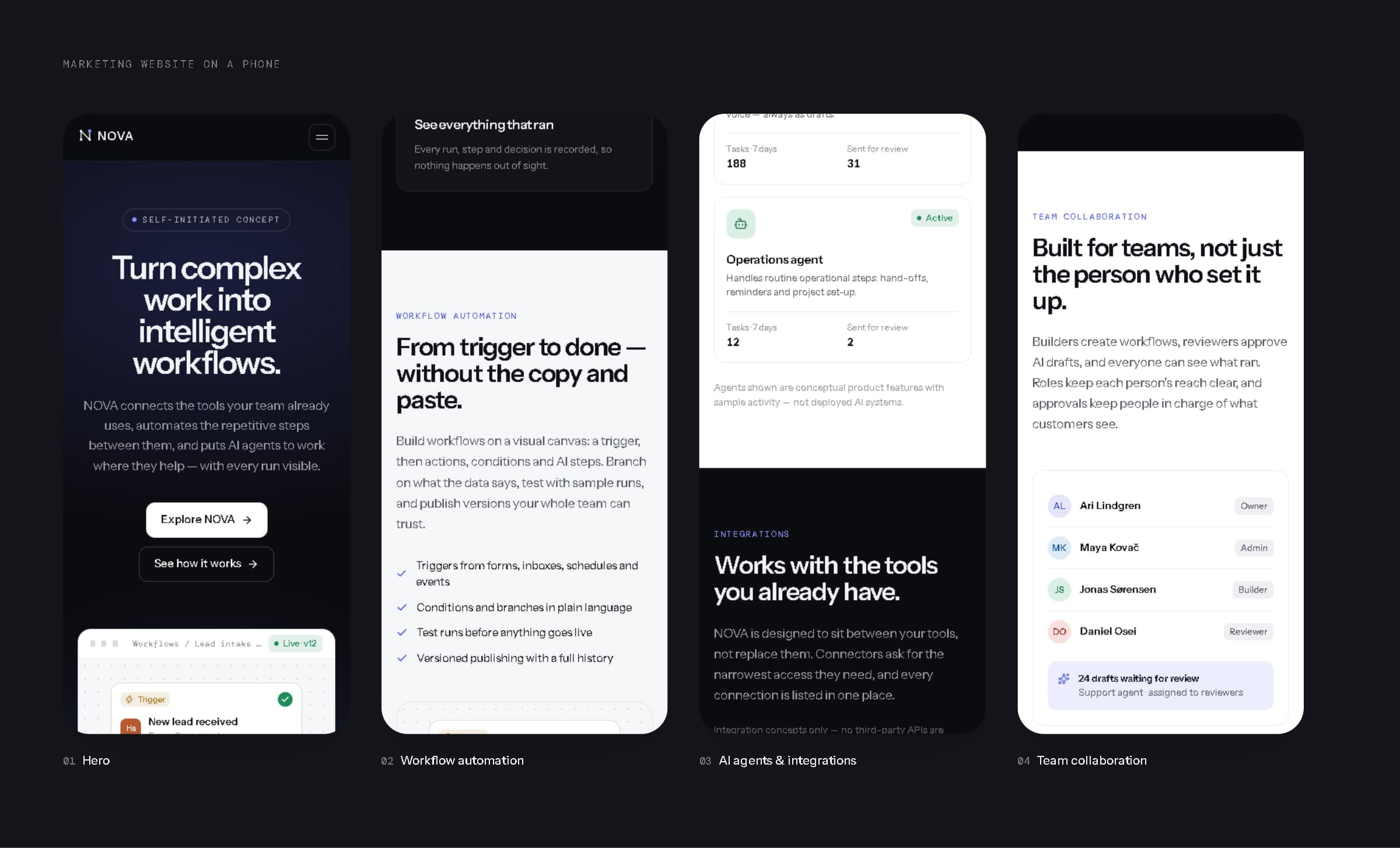
The website on a phone.
16Product architecture
Six layers, from interface to events.
To design the product honestly we sketched how it would be built, layer by layer: the interface (website, workspace, mobile); the workspace (people, roles, approvals, audit); the workflow engine (triggers, step runner and retries, versioning); the AI agent layer (agent definitions, permission checks, a human review queue); integrations (scoped credentials, rate limits, webhooks); and data and events (event stream, run history, analytics store).
This architecture is illustrative. The prototype is a Next.js app running on sample data. No workflow engine, AI models, connectors or data stores are deployed, and nothing here describes a running service.
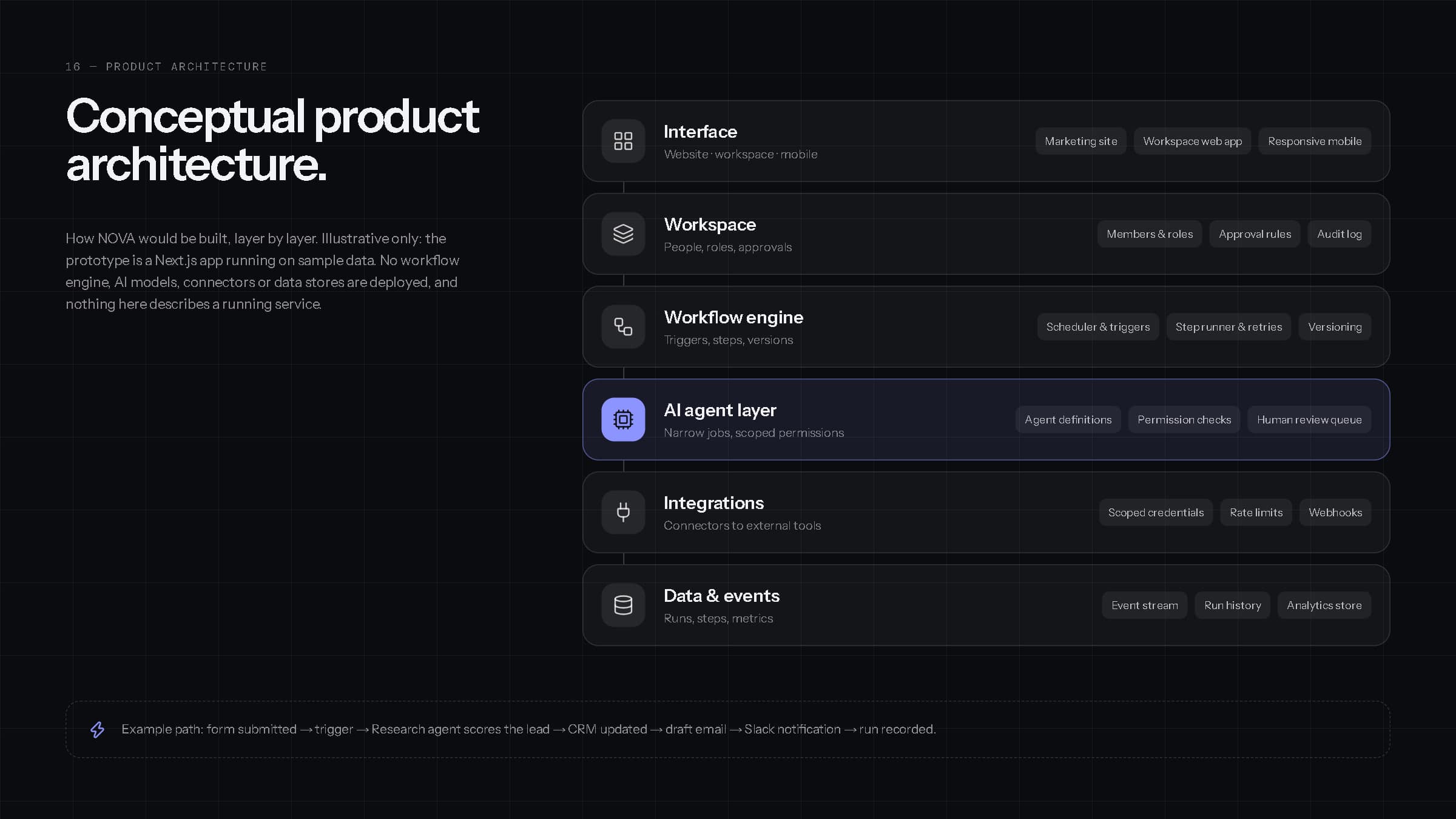
Conceptual product architecture — illustrative only.
Give the busywork a system — and keep people in charge of it.
17Final showcase
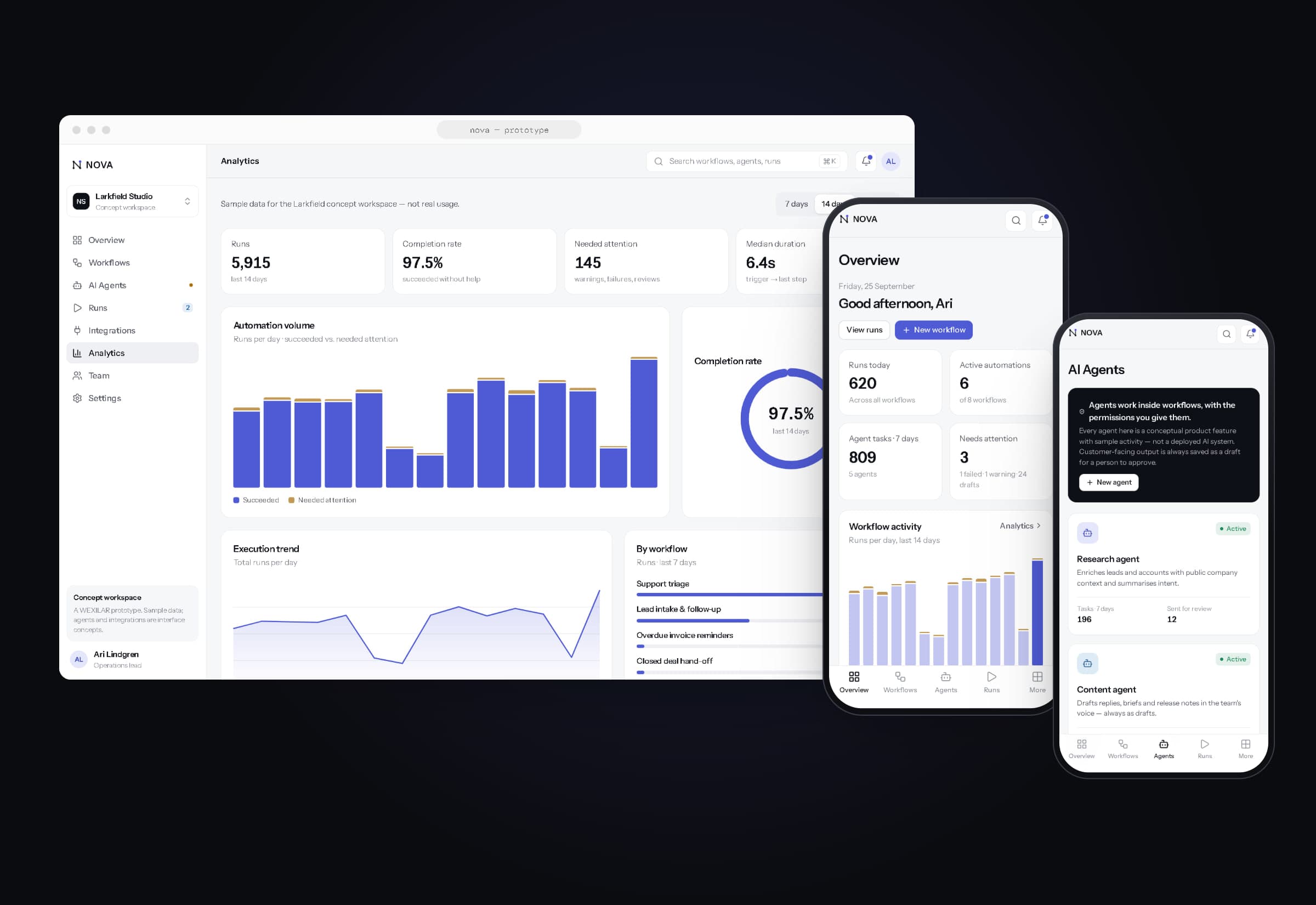
Brand, workspace, builder and agents — together.
The NOVA prototype is live at wexilar.com/concepts/nova (marketing website) and wexilar.com/concepts/nova/app (product workspace). It runs entirely on sample data.
- Strategy & identity
- WEXILAR
- Product design & development
- WEXILAR
- Data
- Sample data only — no real customers, usage, revenue or performance metrics
- Status
- Self-initiated concept — not a real company; AI agents and integrations are conceptual, nothing is deployed or connected